A team adopts end-to-end encrypted messaging because email feels too exposed, screenshots keep escaping into the wrong places, and sensitive conversations are scattered across tools nobody fully owns.
At first, the problem looks simple: choose an app with a strong encryption claim and tell everyone to use it. That is where many rollouts start, and it is also where many of them quietly fail.
Teams think the problem is encryption. The real problem is communication architecture: who can talk to whom, which devices are trusted, how identity is verified, what metadata is exposed, how backups work, and what happens when a phone is lost at 2 a.m.
That changes the conversation. End-to-end encrypted messaging is not just a feature. It is a workflow decision that affects privacy, incident response, compliance posture, and the daily habits of people who need to communicate without leaking unnecessary data.
The practical question is not whether encryption is good. It is whether the system around the encryption holds up in production.
Table of contents
- What end-to-end encrypted messaging has to protect
- End-to-end encrypted messaging architecture in practice
- Identity and key verification decide whether encryption means anything
- Device lifecycle, backups, and multi-device reality
- Metadata, notifications, and the privacy surface
- Team workflows for secure messaging
- Implementation workflow for rolling out encrypted chat
- What breaks when teams implement it badly
- What works in 2026 and what fails
- Where qrypt.chat fits in secure communication
What end-to-end encrypted messaging has to protect
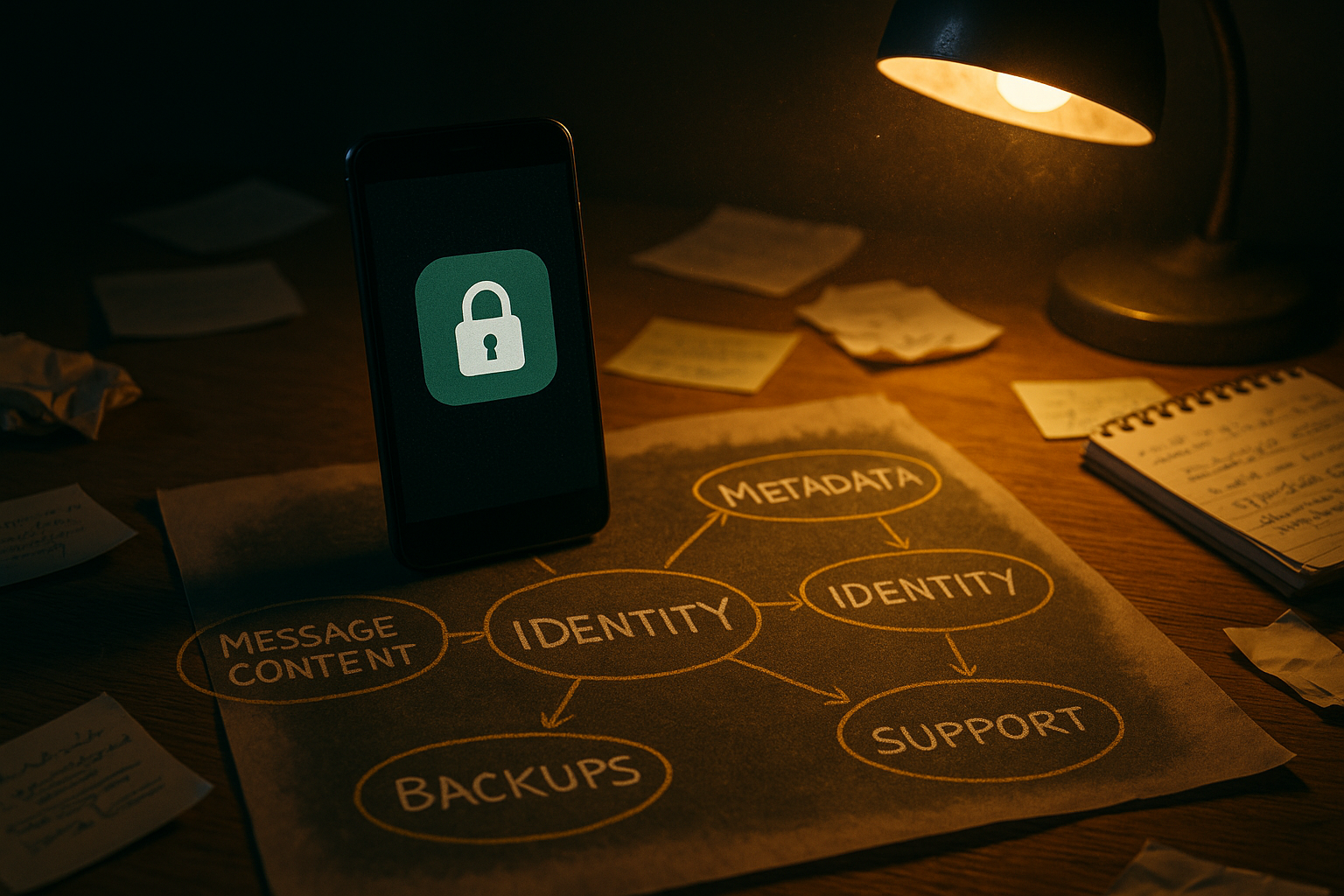
End-to-end encrypted messaging protects the message between endpoints. That sounds narrow, but the endpoints sit inside a messy world of devices, users, networks, notifications, screenshots, file downloads, and account recovery flows.
A useful way to think about it is this: encryption protects content in transit and often at rest on servers, but operations determine whether the communication stays private.
Message content is only the obvious asset
The obvious asset is the text of the message. For many users, that is enough to justify encrypted chat. Nobody wants a provider, network operator, compromised Wi-Fi access point, or opportunistic attacker reading private messages.
But content also includes attachments, voice notes, images, filenames, reactions, quoted replies, edits, deleted-message markers, and sometimes search indexes. If an application encrypts message text but mishandles files, previews, or local caches, the privacy model is weaker than the lock icon suggests.
The mistake teams make is treating a chat thread as one object. In practice, a conversation is a collection of objects with different lifetimes and storage paths.
Metadata is the operating risk
Metadata is the shape of communication: who contacted whom, when, how often, from which device class, from which network, and in which group context. Even when content is encrypted, metadata can reveal patterns.
For a journalist, metadata can expose a source. For a company, it can reveal deal activity. For a security team, it can show incident timing before public disclosure. For a remote team, it can map internal relationships.
Practical rule: If the content is sensitive, assume the communication pattern may also be sensitive.
This does not mean every system can hide all metadata. It means teams should know what is visible and avoid pretending that content encryption solves the full privacy problem.
Trust fails at the edges
Most failures happen at the edges: a compromised phone, a weak device passcode, a cloud backup that stores decrypted data, a user who approves a new device without verifying it, or a support process that asks for screenshots containing sensitive context.
End-to-end encryption is strongest when the endpoints are controlled, updated, and understood. It is weakest when users treat devices as interchangeable terminals.
For adjacent reading from our network, home media and privacy workflows face a similar endpoint problem: the tool is only as private as the surrounding operating model, which is why information technology for streaming, torrents, IPTV, and home media operations is more about architecture than a single app choice.
End-to-end encrypted messaging architecture in practice
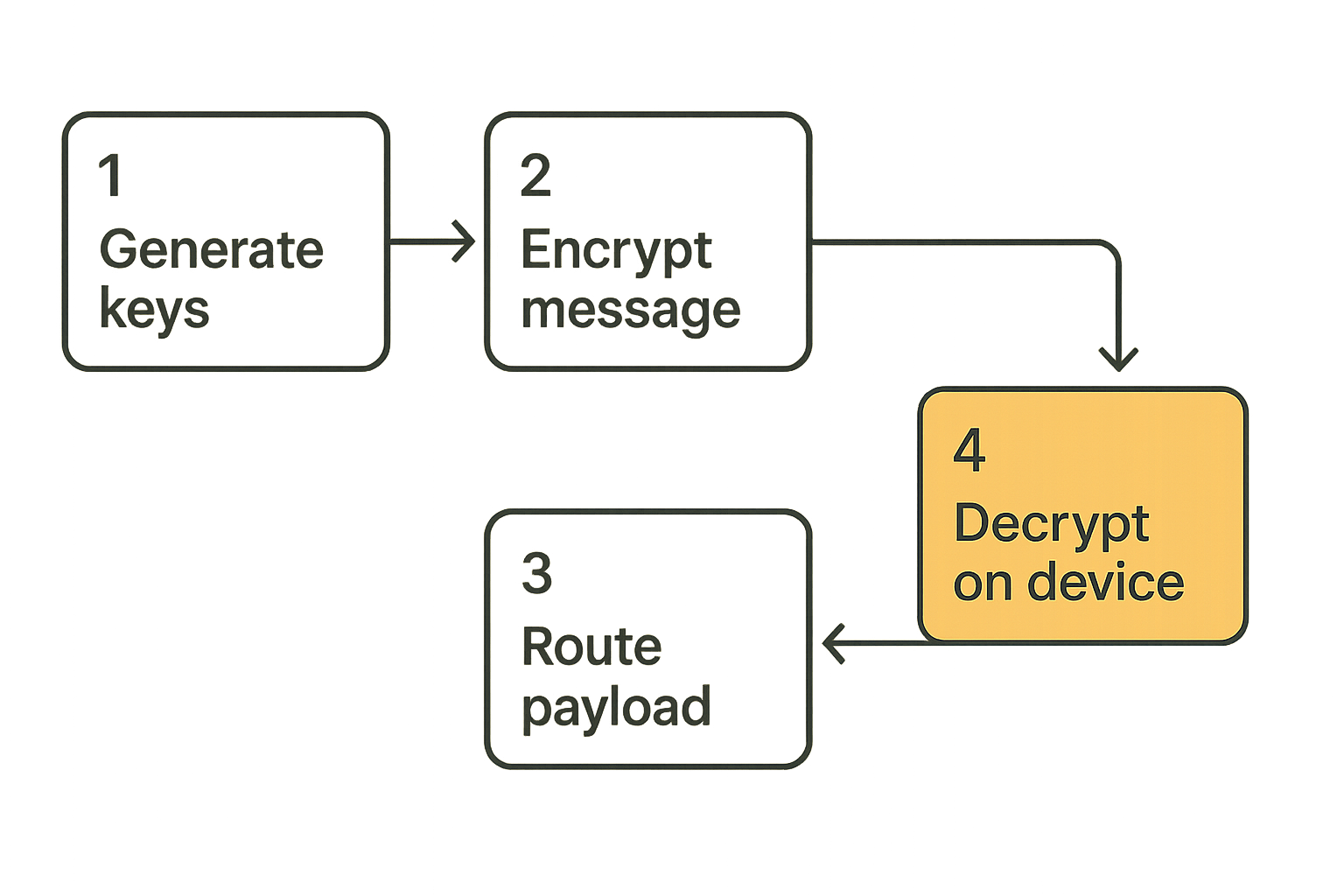
End-to-end encrypted messaging architecture has one basic goal: the service can deliver messages without being able to read them. That is simple to say and hard to maintain across real devices, groups, retries, and account changes.
The practical architecture usually involves client-side key generation, secure session establishment, encrypted payload delivery, device-specific keys, and server-side routing that does not require plaintext access.
Keys, sessions, and device state
Keys are not a decorative detail. They are the control plane of private communication.
A simple mental model looks like this:
- A user installs the app and generates cryptographic identity material on the device.
- The app publishes the minimum public key material needed for others to start encrypted sessions.
- Another user initiates a conversation and establishes a session using public material.
- Messages are encrypted on the sender device and decrypted only on the recipient device.
- Session state evolves over time so older messages remain protected even if future keys are exposed.
That last point matters. Good secure messaging systems try to limit blast radius. A key compromise should not automatically expose every past and future message.
A simplified client policy might look like this:
message_policy:
  encrypt_before_upload: true
  plaintext_on_server: false
  rotate_session_keys: true
  require_device_trust_on_new_session: true
  warn_on_identity_key_change: true
The exact cryptographic design varies by product. The operational requirement does not: users need clear warnings when trust changes.
Servers should route, not read
In a private messaging system, the server should behave more like a courier than a participant. It should authenticate clients, route encrypted payloads, handle delivery queues, and synchronize device state without needing access to message content.
That creates tradeoffs. Search is harder. Moderation is harder. Abuse handling is harder. Multi-device sync is harder. Some teams underestimate these tradeoffs and later add server-side conveniences that weaken the privacy model.
Practical rule: If a feature requires the server to inspect message content, it is not a small product change. It is a privacy architecture change.
This is why secure messaging product pages should be read carefully. Claims about encryption are useful, but they need to be connected to device behavior, recovery flows, logging, and administrative access.
Group chat is the hard mode
One-to-one encryption is the easier case. Group messaging introduces membership changes, multiple devices per user, removed participants, message history rules, and key distribution complexity.
What breaks in practice is stale membership. Someone leaves a company, changes role, loses a phone, or is removed from a project, but the group continues as if membership were static. If the app does not make group state visible, users keep sharing sensitive content into a room with unclear boundaries.
Operators should ask:
- Can members see when someone joins or leaves?
- Are new devices announced clearly?
- Does removing a participant rotate future access?
- Are old attachments still available to removed users?
- Are admin actions logged locally or visibly in the room?
Group privacy is less about slogans and more about state management.
Identity and key verification decide whether encryption means anything
Encryption without identity verification can protect against passive interception while still failing against impersonation. If users cannot tell whether they are talking to the right person, the encryption layer is doing only part of the job.
Usernames are not identities
A username, phone number, email address, or display name is a routing hint. It is not proof that the cryptographic identity belongs to the person you intend to reach.
This distinction matters for remote teams. If a finance lead receives a message from someone named Alex asking to change payment details, the app may encrypt that message perfectly. The risk is not interception. The risk is whether Alex is really Alex.
A strong workflow separates human identity from account label:
- Account label: how the app finds the user.
- Cryptographic identity: the key material associated with the user or device.
- Human verification: the out-of-band confidence that the key belongs to the right person.
Safety numbers and verification ceremonies
Verification can be lightweight or formal. Some users compare safety numbers. Some scan QR codes in person. Some verify over a separate channel. Some organizations handle verification during onboarding.
The best ceremony is the one users will actually complete for high-risk conversations. Overly complex verification gets ignored. Invisible verification creates false confidence.
Practical rule: Verification should be mandatory for high-risk relationships and easy enough that people do it before there is an incident.
For a remote team, that might mean verifying executives, finance contacts, incident responders, legal contacts, and external advisors. Not every casual chat needs ceremony. High-impact instructions do.
Account recovery without impersonation
Recovery is where many secure systems become fragile. Users lose phones. Devices break. People forget passwords. Teams need continuity.
But if recovery lets a provider or administrator silently take over an account, the end-to-end model is weakened. The system should make recovery events visible and should prevent silent impersonation.
Good recovery design asks:
- Can a recovered account decrypt old messages?
- Are contacts warned about identity key changes?
- Can administrators reset access without reading content?
- Are recovery codes encrypted and user-controlled?
- Is there a clear path for lost-device revocation?
The goal is not to make recovery impossible. The goal is to prevent recovery from becoming a hidden backdoor.
Device lifecycle, backups, and multi-device reality
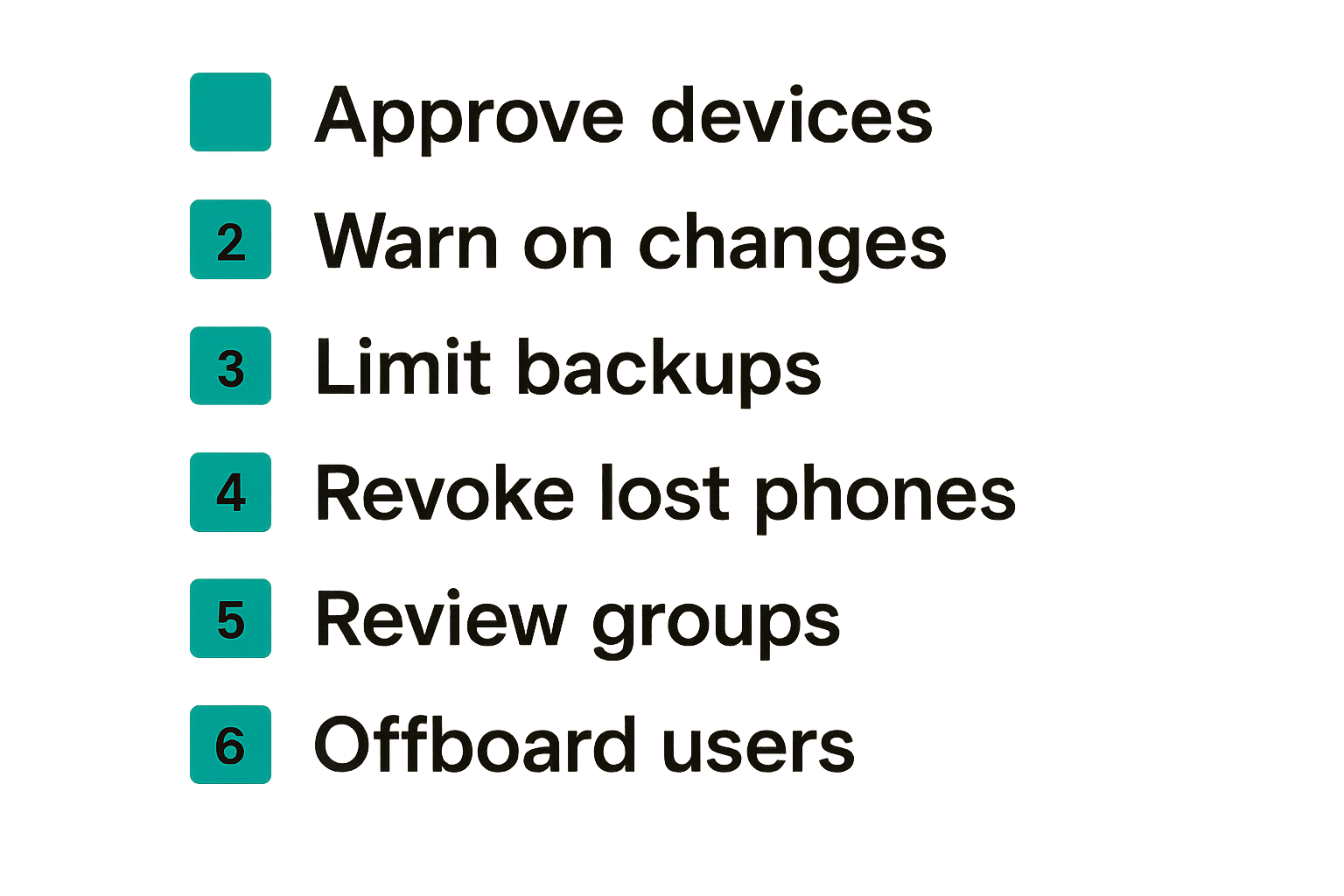
Devices are where encrypted messaging becomes operational. A user may have a phone, tablet, laptop, browser session, and replacement device. Each one expands the trust surface.
New devices are a security event
Adding a new device should not feel like logging into a news site. It changes who can decrypt future messages, and sometimes who can access synced history.
A practical device-add workflow should include:
- User requests to link a new device.
- Existing trusted device approves the request.
- Contacts or group members receive a visible device-change notice when appropriate.
- Old sessions are re-evaluated or rotated.
- Unused devices can be reviewed and removed.
The friction is intentional. If device linking is too invisible, attackers benefit more than users.
Backups can quietly undo encryption
Backups are the classic place where privacy gets diluted. An app may encrypt messages in transit, then store readable message history in a cloud backup controlled by a different account with weaker protections.
The practical question is: encrypted from whom?
- Encrypted from the network?
- Encrypted from the messaging provider?
- Encrypted from the cloud backup provider?
- Encrypted from someone with access to the unlocked device?
- Encrypted from an organization administrator?
Teams need written backup rules. If chat history is sensitive, decide whether backups are disabled, encrypted with user-held keys, retained for a limited time, or excluded for certain rooms.
Lost phones and offboarding
Lost devices are not rare edge cases. They are normal operations.
A good secure messaging rollout defines what happens when a phone is lost before it happens:
- User reports the loss through a separate channel.
- The device is revoked from the account.
- High-risk groups review recent messages.
- Session changes are visible to relevant contacts.
- Replacement device enrollment requires verification.
Offboarding needs the same discipline. Removing a user from payroll but leaving them in sensitive encrypted groups is not a cryptography problem. It is an ownership problem.
Related reading from our network: CI/CD security teams deal with the same lifecycle issue around access tokens and secret handling, which is why security license architecture for CI/CD is a useful analogy for anyone thinking about device trust and revocation.
Metadata, notifications, and the privacy surface
Content encryption gets attention because it is visible. Metadata handling is quieter, but it often determines how much privacy users actually get.
What the server can still see
Depending on the design, a server may still see account creation time, IP addresses, device types, message timing, delivery attempts, group identifiers, contact discovery events, file sizes, and push notification tokens.
Some of that may be necessary to run the service. Some may be reducible. Some may be avoidable with better architecture.
The mistake teams make is asking, is it encrypted? A better question is: what does the service still need to know to operate?
Push notifications and previews
Notifications are a privacy trap. A message can be end-to-end encrypted and still leak through a lock-screen preview, notification service, wearable device, desktop banner, or shared screen.
For high-risk users, notification settings are part of the security model:
- Disable message previews on lock screens.
- Avoid sensitive content in notification text.
- Review desktop notification behavior during screen sharing.
- Be careful with connected watches and car systems.
- Treat shared family devices as untrusted endpoints.
Small settings create large leaks.
Minimization beats promises
Privacy policies matter, but data minimization matters more. If a service does not collect something, it cannot leak it, sell it, search it, over-retain it, or expose it through a support workflow.
When evaluating a secure messenger, read the provider position on retention, logs, and data use. The qrypt.chat privacy information is a useful place to understand how a provider frames private communication and data handling.
Practical rule: Prefer systems that reduce data collection by design over systems that collect broadly and promise restraint later.
This is not cynicism. It is operations. Promises depend on perfect process. Minimization reduces the number of processes that can fail.
Team workflows for secure messaging
Secure chat fails when every conversation is treated the same. A daily standup, a password reset, an acquisition discussion, a medical issue, and an incident response bridge do not need identical workflows.
Classify conversations by risk
Teams do not need a heavy classification program to benefit from basic rules. They need enough structure to stop sensitive discussions from drifting into the wrong channels.
A practical model:
- Low risk: general coordination, non-sensitive scheduling, routine updates.
- Medium risk: internal decisions, customer context, non-public project details.
- High risk: credentials, legal matters, security incidents, finance approvals, personnel issues.
- Restricted: conversations with strict membership, short retention, and verified participants.
This classification should affect room membership, notification settings, file sharing, retention, and verification requirements.
Set rules for files and links
Files are messages with longer tails. People download them, forward them, preview them, and store them outside the chat app.
Set rules before the first incident:
- Do not share secrets as screenshots.
- Avoid long-lived links to sensitive files.
- Use expiring links where possible.
- Confirm recipients before sending customer data.
- Keep credentials out of chat unless a dedicated secret-sharing workflow exists.
- Remove files from shared rooms when project membership changes.
What fails is relying on the app to solve every downstream copy. Once data leaves the encrypted thread, it follows the weakest system it touches.
Escalation paths and incident evidence
Security professionals have a specific tension: private messaging helps protect incident response, but investigations sometimes require records.
Do not solve that tension during an incident. Define it in advance:
- Which rooms are used for incident response?
- Who can join them?
- Are participants verified?
- What decisions must be recorded elsewhere?
- What sensitive details should not be pasted into chat?
- How are screenshots handled?
Related reading from our network: local organizers face a similar coordination problem around trust, routing, and follow-up, and building the local network workflow before recruiting everyone maps surprisingly well to secure team communication.
Implementation workflow for rolling out encrypted chat
End-to-end encrypted messaging should be rolled out like infrastructure, not like a sticker pack. The work is policy, onboarding, verification, device hygiene, support, and feedback loops.
Start with a threat model
A threat model does not need to be academic. It should answer practical questions:
- What conversations are we trying to protect?
- Who are we protecting them from?
- Which devices are allowed?
- What metadata matters?
- What happens when a device is lost?
- How do we verify high-risk contacts?
- What should never be sent in chat?
This gives the rollout a purpose. Without it, teams argue about features without knowing what they are optimizing for.
Pilot with real devices
Run the pilot with the actual device mix: iOS, Android, desktop, locked-down corporate laptops, travel devices, weak networks, and users who are not security experts.
A clean lab test is useful, but it will not reveal the real friction. In production, users get new phones, miss notifications, forget verification steps, and paste sensitive content into the wrong room because the right room was hard to find.
A pilot should test:
- Account creation and recovery.
- Device linking and revocation.
- Group creation and membership changes.
- File sharing rules.
- Notification privacy.
- Support requests.
- External contact verification.
Measure friction and failure
You do not need fake precision. You do need to know where people get stuck.
Track operational signals such as:
- How often users add new devices.
- How often identity changes trigger confusion.
- Which groups have stale members.
- How many users disable previews.
- How often support asks for screenshots.
- Whether high-risk contacts are verified.
The point is not surveillance. The point is to find weak workflow points without reading content.
A simple rollout sequence works well:
- Define protected conversation types.
- Choose approved encrypted messaging tools.
- Set device and backup rules.
- Verify high-risk contacts.
- Pilot with a small real group.
- Fix onboarding and support gaps.
- Roll out by team or risk category.
- Review membership and devices monthly.
That changes the conversation from app adoption to operational control.
What breaks when teams implement it badly
Bad encrypted messaging rollouts create a dangerous middle ground: users believe they are protected, but the workflow still leaks through identity, devices, backups, metadata, or support.
Encryption theater
Encryption theater is when the organization celebrates the lock icon while ignoring everything around it.
Examples:
- No one verifies identity keys.
- Lost devices stay connected for weeks.
- Sensitive files are forwarded to email.
- Push previews expose content on shared screens.
- Admins can reset accounts without visible warnings.
- Old group members retain access to future-sensitive rooms.
The result is worse than honest insecurity because people lower their guard.
Compliance confusion
Some teams assume end-to-end encryption automatically solves compliance. Others assume it automatically creates compliance problems. Both are too simple.
Encryption can reduce exposure, but compliance also involves retention, discovery, access controls, auditability, data residency, and internal policy. A private chat system may be appropriate for some conversations and inappropriate for others depending on obligations.
The right question is not whether encrypted messaging is compliant in the abstract. The right question is which conversations belong there, what records must exist elsewhere, and who owns that decision.
Support workflows that leak data
Support can accidentally become the plaintext channel. A user cannot decrypt a message, so support asks for screenshots. A device change looks suspicious, so someone emails logs. A bug report includes message content. A user exports chat history to prove something happened.
Build support paths that preserve privacy:
- Ask for diagnostic metadata, not message content.
- Redact screenshots by default.
- Provide copyable error codes.
- Document device recovery steps.
- Train support to avoid requesting secrets.
- Make identity-change warnings explainable.
For teams evaluating provider posture, the qrypt.chat security overview is relevant because security claims should connect to implementation boundaries, not just marketing language.
What works in 2026 and what fails
The secure messaging market has matured, but the operating problem remains. Users want privacy without becoming cryptographers. Teams want control without reading employee messages. Security leaders want fewer leaks without creating unusable rules.
What works
What works is boring in the best way:
- Client-side encryption before upload.
- Clear device trust indicators.
- Visible identity changes.
- Verification for high-risk contacts.
- Minimal metadata collection.
- Strong local device security.
- Private notification defaults.
- Documented recovery and offboarding.
- Group membership reviews.
- User education that is short and specific.
The durable pattern is alignment between cryptography and workflow. Users should understand what the system protects and where their behavior still matters.
What fails
What fails is usually convenience without boundaries:
- Silent account recovery.
- Invisible device linking.
- Cloud backups that store readable content.
- Unclear group membership.
- Search features that require server-side plaintext.
- Support processes that collect sensitive screenshots.
- Policies that say use encrypted chat but do not say how.
- Assuming private messaging replaces records systems.
A useful way to think about it is that every convenience feature has a privacy budget. Spend it deliberately.
Comparison table for operators
| Decision area | Strong approach | Weak approach | What breaks in practice |
|---|---|---|---|
| Identity | Verify high-risk contacts and warn on key changes | Trust display names only | Impersonation and social engineering |
| Devices | Require approval, review, and revocation | Allow silent linking | Lost or attacker-controlled devices stay trusted |
| Backups | Encrypt with user-controlled protection or limit history | Dump readable history into cloud backup | Server privacy is undone elsewhere |
| Groups | Make membership changes visible | Treat groups as static | Former members or unknown devices remain in sensitive workflows |
| Metadata | Minimize collection and retention | Collect broadly for convenience | Communication patterns become exposed |
| Support | Use diagnostics without content | Request screenshots and exports | Support channel becomes the leak |
| Records | Define what must be documented elsewhere | Treat chat as the official system of record | Legal, compliance, and incident review gaps |
This table is not theoretical. These are the places encrypted messaging programs usually become operationally expensive if ignored.
Where qrypt.chat fits in secure communication
End-to-end encrypted messaging is a practical architecture choice: protect content, reduce unnecessary data exposure, and make trust decisions visible enough that normal people can use them correctly.
Product fit is about boundaries
qrypt.chat is built for people who care about private communication, secure messaging, and practical digital security. The product fit is not that every conversation in life must become high-security ceremony. The fit is that sensitive communication deserves a tool designed around privacy boundaries from the start.
That means thinking about encrypted messaging as a system:
- What can the service read?
- What should stay on the endpoint?
- How are keys and devices handled?
- What happens when trust changes?
- How much metadata is necessary?
- What does the user need to understand?
For readers comparing options, the qrypt.chat overview of quantum-resistant encrypted messaging explains the product direction and why future-facing cryptographic resilience is part of the conversation.
How to evaluate secure messaging claims
Do not evaluate a messenger only by its strongest claim. Evaluate it by its weakest workflow.
Ask these questions before adopting any secure chat product:
- Is encryption applied before messages leave the device?
- Can the provider read message content?
- Are identity and device changes visible?
- How does account recovery work?
- What metadata is collected and retained?
- How are attachments handled?
- Are backups encrypted under user control?
- Can users understand warnings without security training?
- Does the product fit the conversations you actually need to protect?
The practical question is not whether a system sounds secure. The practical question is whether it keeps private communication private when users add devices, lose phones, create groups, request support, and work under pressure.
End-to-end encrypted messaging in 2026 is not a magic layer. It is a disciplined communication workflow built on cryptography, device trust, metadata minimization, and clear operating rules.
Try qrypt.chat
qrypt.chat is for people who care about private communication, secure messaging, and practical digital security. If you want end-to-end encrypted messaging designed around privacy-first communication, Try qrypt.chat.