End-to-end encrypted messaging solves one important problem: it prevents the service provider and network observers from reading message content in transit. That matters. But in production, that is rarely where the whole privacy failure happens.
Teams think the problem is choosing a secure chat app. The real problem is designing a communication workflow where identity, devices, backups, notifications, metadata, group access, and human behavior do not quietly undo the encryption.
That changes the conversation. The practical question is not “does this app use encryption?” It is “what can still leak, who owns the controls, and what happens when someone loses a phone, leaves the team, forwards a file, or needs an audit trail?”
This guide treats end-to-end encrypted messaging as an architecture and operations decision. That is the only useful way to evaluate it in 2026.
Table of contents
- Why end-to-end encrypted messaging is an operating model
- Threat model before tool choice
- Identity and key verification
- Device architecture and endpoint risk
- Group chats and organizational ownership
- Retention backups and legal reality
- Notifications links and file sharing
- Implementation workflow for teams
- Common failure modes
- How qrypt.chat fits end-to-end encrypted messaging architecture
- Closing checklist for end-to-end encrypted messaging
Why end-to-end encrypted messaging is an operating model
The message is only one asset
End-to-end encrypted messaging protects message content between endpoints. In the clean model, Alice encrypts a message on her device, Bob decrypts it on his device, and the server only routes ciphertext. The server should not have the keys required to read the plaintext.
That model is powerful, but it is not the full system.
A real conversation produces more than message text. It produces contact graphs, timestamps, device events, attachment names, previews, push notifications, group membership changes, recovery events, screenshots, exports, and support requests. Some of those are protected by the protocol. Some are controlled by app settings. Some are created by the operating system. Some are created by users doing normal work under pressure.
The mistake teams make is evaluating encrypted messaging like a feature checklist. They ask whether messages are encrypted, whether there are disappearing messages, and whether the app has a lock screen. Those questions matter, but they miss the operating surface.
A useful way to think about it is this: encrypted chat is a subsystem inside a communication workflow. If the workflow is bad, the cryptography becomes a narrow control surrounded by weak process.
Practical rule: Treat message content, identity, metadata, devices, and retention as separate assets. Do not assume one encryption label protects all of them.
Why this matters in 2026
The pressure on private communication has increased because work has become more distributed, more cross-platform, and more automated. People discuss sensitive information across phones, laptops, browser sessions, unmanaged tablets, and sometimes personal devices. Teams also move faster than their access reviews.
At the same time, many users now understand that basic transport encryption is not enough. HTTPS protects traffic between a device and a service. End-to-end encryption aims to prevent the service itself from reading the message content. That distinction is no longer niche; privacy-conscious users and security teams expect it.
But expectation creates a second problem: overconfidence. A product can be genuinely end-to-end encrypted and still be operated badly. If a team shares sensitive recovery codes in a group chat with ex-contractors still present, the protocol is not the issue. If a user enables cloud backups that store message history outside the encrypted channel, the protocol is not the issue. If a phishing link steals a session, the protocol is not the issue.
This is why the architecture matters. You need to know what the encrypted channel does, what it does not do, and what operational controls surround it.
Related reading from our network: teams building media and home infrastructure run into a similar “the app is not the whole stack” problem in this guide to streaming, torrents, IPTV, and home media architecture.
Threat model before tool choice
Who can see what
Before choosing any secure messenger, write down who you are trying to protect against. Not in abstract terms. Be specific.
Common observers include:
- Internet service providers and local network operators
- Wi-Fi attackers and network intermediaries
- The messaging service provider
- Cloud backup providers
- Mobile operating system notification services
- Malicious insiders in a group
- Stolen or compromised devices
- Recipients who copy, forward, or screenshot content
- Legal or administrative requests depending on jurisdiction
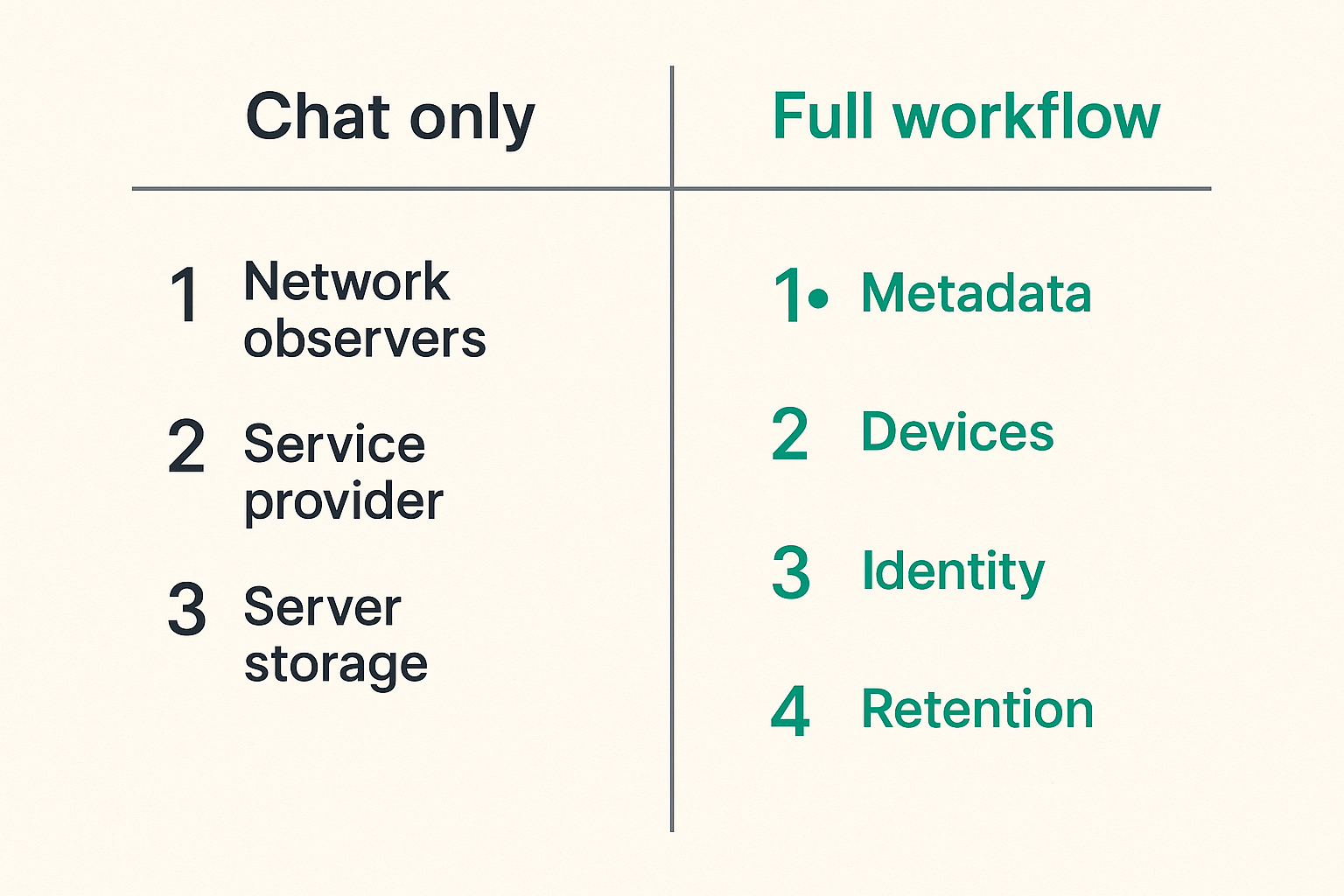
End-to-end encrypted messaging mainly targets a subset of these: network observers and the service provider reading message content. Depending on design, it may also limit what is stored server-side. It does not automatically stop a recipient from leaking content, a compromised endpoint from capturing plaintext, or a notification preview from showing sensitive text on a locked screen.
That does not make encryption weak. It makes the boundary clear.
The practical question is: where is plaintext available? Usually it exists on sender devices, recipient devices, sometimes in notifications, sometimes in local search indexes, sometimes in backups, and sometimes in exported files. If you do not map those places, you do not have a real privacy model.
What metadata still exposes
Metadata is the uncomfortable part of secure messaging. Even if content is protected, communication patterns can reveal sensitive information.
Metadata may include:
- Who has an account
- Who talks to whom
- When messages are sent
- Approximate frequency and volume
- Group membership
- Device registration events
- IP address or routing information
- Attachment size
- Delivery and read state
Some systems reduce metadata exposure better than others. Some minimize logs. Some proxy traffic. Some hide sender information in specific modes. Some do not. The details matter.
For a remote team, metadata can expose business activity. A sudden increase in messages between legal, finance, and executives may say something even if nobody can read the messages. For an activist, journalist, clinician, attorney, or security researcher, the contact graph can be as sensitive as the text.
Practical rule: If knowing that two people communicated is sensitive, evaluate metadata protections separately from message encryption.
A simple comparison helps:
| Layer | What encryption helps with | What can still break |
|---|---|---|
| Network transport | Passive reading by network observers | IP logs, timing, device compromise |
| Message content | Provider access to plaintext | Recipient leaks, screenshots, backups |
| Identity | Key-based participant assurance | Account takeover, weak verification |
| Groups | Encrypted group messages | Stale members, poor admin process |
| Attachments | Protected file transfer in channel | Downloads, previews, external sharing |
| Retention | Local deletion or disappearing messages | Backups, exports, legal requirements |
The table is not meant to make the problem feel impossible. It is meant to stop a common failure: treating one cryptographic property as a full privacy program.
Identity and key verification
Account identity is not cryptographic identity
Most users think identity means a phone number, username, email address, or handle. Cryptographic systems think in keys. Those are not the same thing.
An account can be recovered, transferred, hijacked, or re-registered. A device can be replaced. A key can rotate. A contact can appear to be the same person while the underlying cryptographic identity has changed. Sometimes that change is legitimate. Sometimes it is not.
What breaks in practice is that people ignore key-change warnings. They are busy. They assume the app knows best. They click through because they need to send the message. Over time, the most important security prompt becomes background noise.
For high-trust conversations, teams need a clear rule for identity verification. That might mean comparing safety numbers, scanning verification codes in person, confirming through a second trusted channel, or using an organization-managed process for onboarding devices.
The exact method depends on the product. The principle does not: do not confuse account reachability with verified identity.
Verification needs a workflow
Verification fails when it is treated as a one-time ceremony that nobody remembers. It works when it is part of onboarding, device replacement, and incident response.
A lightweight verification workflow can look like this:
- New user joins the organization or trusted group.
- Admin confirms their out-of-band identity.
- User registers their primary device.
- Another trusted member verifies their cryptographic identity.
- The verification is recorded in the team’s internal checklist, not in the message content itself.
- Any future key change triggers a review before sensitive information continues.
This is not excessive for teams that discuss credentials, customer data, financial details, legal matters, vulnerability reports, or personal safety issues. It is normal security hygiene.
Practical rule: Key verification should happen at onboarding, after device replacement, and after any unexpected identity change. If nobody owns that process, it will not happen.
For individuals, the same idea applies at smaller scale. Verify the contacts where impersonation would hurt: family members involved in financial decisions, collaborators, sources, administrators, or anyone who might receive sensitive data.
Device architecture and endpoint risk
Encrypted transport cannot fix infected devices
End-to-end encryption protects content between endpoints. It does not make endpoints trustworthy.
If malware can read the screen, capture the keyboard, access local files, or take screenshots, it can see plaintext after decryption. If a device is unlocked and unattended, the message is available. If the user’s operating system exposes notification previews, sensitive content may appear outside the app. If a browser extension has excessive access, a web-based client may inherit that risk.
This is where secure messaging becomes an endpoint security problem.
For security professionals, this is obvious but often under-applied. The messaging app gets reviewed, but the device fleet does not. A team standardizes on an encrypted app while allowing unmanaged personal laptops, outdated phones, weak screen locks, shared tablets, and no process for lost devices.
That is not an encrypted messaging failure. It is an architecture failure.
Minimum device controls should include:
- Strong device lock and short auto-lock timeout
- Full-disk encryption where applicable
- Current operating system and app versions
- No rooted or jailbroken devices for sensitive work
- Remote wipe or at least fast session revocation
- Separate work and personal profiles where possible
- Notification previews disabled for sensitive chats
- Clear lost-device reporting expectations
Remote teams need device rules
Remote teams make this harder because the office perimeter is gone. People work from homes, airports, client sites, hotels, coworking spaces, and mobile networks. They switch contexts constantly.
The mistake teams make is writing a policy that sounds good but does not match daily behavior. “Use secure messaging for sensitive topics” is not enough. Which topics? Which rooms? Which devices? Which attachments? Which retention setting? Who removes a contractor? What happens when someone changes phones?
A practical team policy can be short:
secure_messaging_policy:
  sensitive_topics:
    - credentials
    - customer incidents
    - legal discussions
    - vulnerability reports
    - financial approvals
  allowed_devices:
    - managed_laptop
    - managed_phone
  disallowed:
    - rooted_devices
    - shared_family_devices
    - personal_cloud_backups_for_chat_exports
  notifications:
    previews: disabled
  lost_device_sla:
    report_within_minutes: 30
  key_change:
    requires_out_of_band_verification: true
The point is not the YAML. The point is specificity. If the rule cannot be followed under pressure, it is not a rule. It is decoration.
Related reading from our network: builders making infrastructure choices around emerging compute models face the same boundary-setting problem in this decentralized compute and quantum computing architecture guide.
Group chats and organizational ownership
Group membership is a control plane
Group chat is where private messaging gets operationally messy. One-to-one encryption is easier to reason about. Groups introduce membership, roles, history visibility, invitations, removals, and social pressure.
In many teams, group membership becomes a shadow access-control system. People use chat rooms to coordinate deployments, approve payments, discuss incidents, share customer context, and escalate legal questions. But unlike formal identity systems, group chats are often created casually and rarely reviewed.
What breaks in practice is stale access. A contractor finishes a project but remains in a sensitive room. A former employee keeps a device signed in. A vendor is invited for one incident and stays for six months. A private group becomes the default place to paste operational details because it is convenient.
If a chat room contains sensitive information, membership changes are security events.
Admins need policies not vibes
A team does not need bureaucracy for every conversation. It does need ownership for sensitive spaces.
For each high-sensitivity group, define:
- The business purpose of the room
- The owner responsible for membership
- Who can invite new members
- Whether message history is visible to new members
- The retention or disappearing-message expectation
- What content does not belong there
- When membership is reviewed
- How offboarding is handled
This is especially important during incidents. Incident channels multiply fast. They include engineers, executives, vendors, legal, communications, and sometimes customers. If those rooms are not closed or reviewed after the incident, they become long-lived archives with unclear membership.
A useful rule is to classify group chats by risk:
| Group type | Example | Control level |
|---|---|---|
| Low sensitivity | Social team chat | Basic etiquette |
| Moderate sensitivity | Project coordination | Owner and periodic review |
| High sensitivity | Security incidents, legal, finance | Verified members, strict invites, retention rules |
| Temporary sensitive | Vendor incident bridge | Expiration date and post-event cleanup |
That changes the conversation from “which app do we like?” to “which conversations require controls?”
For a deeper adjacent treatment of chat workflow design, the QryptChat team has also written about end-to-end encrypted messaging apps as workflow architecture, which is useful if you are comparing app choices against team operations.
Retention backups and legal reality
Disappearing messages are not governance
Disappearing messages are useful. They reduce long-term exposure. They can limit the damage from device loss, casual browsing, and old conversation history. But they are not governance by themselves.
A disappearing timer does not guarantee that content was never copied, screenshotted, exported, quoted, backed up, indexed, or photographed. It also does not answer whether the organization was supposed to retain certain records. In regulated environments, retention is a legal and operational question, not just a privacy preference.
The practical question is not “should messages disappear?” It is “which categories of conversation should exist in chat at all?”
Some conversations belong in encrypted messaging because they are time-sensitive and sensitive. Others belong in a ticketing system, legal repository, incident platform, or customer record. Secure chat should not become the place where every decision lives forever or vanishes without accountability.
A workable policy separates communication types:
- Ephemeral coordination: chat is appropriate, short retention is useful.
- Sensitive secrets: chat may be appropriate only if no durable system is safer; rotate after sharing.
- Formal approvals: chat may coordinate, but system of record should be elsewhere.
- Customer commitments: chat may discuss, but final record belongs in the customer system.
- Legal matters: follow counsel-approved retention and access rules.
Backups can break the model
Backups are one of the most common ways secure messaging gets weakened. Users want recovery. They lose phones. They upgrade devices. They expect history to follow them. That demand creates pressure to store message history somewhere.
The security question is where the backup is encrypted, who holds the keys, and whether the backup restores onto a verified device under a trustworthy identity flow.
Bad backup designs can move plaintext or recoverable message history into cloud storage controlled by a different provider, protected by different account security, subject to different access paths. Even when backups are encrypted, recovery workflows can become an attack surface.
What works is clarity:
- Is chat history backed up?
- Is backup optional or mandatory?
- Is the backup end-to-end encrypted?
- Who controls the recovery key?
- Can admins recover user messages?
- What happens if the user forgets the recovery credential?
- Does restoring history trigger device or key warnings?
Privacy-conscious users should read backup settings carefully. Teams should document the approved configuration instead of leaving each user to guess. QryptChat’s own approach to data handling is described in its privacy information, which is the kind of page teams should review before adopting any secure communication tool.
Notifications links and file sharing
The leak often happens outside the message
The encrypted chat window is not the only place conversation content appears. Notifications may show sender names and message previews. Link previews may fetch URLs through servers. File names may reveal content. Downloads may land in unencrypted folders. Shared images may contain metadata. Voice notes may be transcribed by device features. Copy-and-paste may move sensitive text into insecure apps.
The mistake teams make is assuming the secure app controls every downstream use. It does not.
Consider a normal workflow: someone sends a sensitive contract PDF in an encrypted chat. A recipient downloads it to a laptop. The file syncs to a personal cloud folder. The file name includes the client name and acquisition code word. Another user previews it through an unmanaged PDF tool. Later, a screenshot is pasted into a project management app.
The message transport was encrypted. The workflow was not.
This is why secure messaging policy needs to include attachments and links. In many cases, the message body is less risky than the file handling around it.
Safer defaults for everyday sharing
You do not need to ban useful behavior. You need safer defaults.
For notifications:
- Disable message previews on lock screens.
- Hide sender names for highly sensitive contexts if the app supports it.
- Avoid wearable notifications for sensitive accounts.
- Consider separate profiles for work and personal messaging.
For links:
- Be cautious with automatic link previews.
- Avoid opening sensitive links from unmanaged devices.
- Use password managers instead of pasting credentials into chat.
- Treat shortened links as suspicious in high-risk groups.
For files:
- Prefer secure document systems for durable records.
- Remove metadata from images and documents when needed.
- Avoid descriptive file names for highly sensitive matters.
- Delete local downloads after use where appropriate.
- Do not rely on chat retention to govern downloaded copies.
Practical rule: If a file leaves the encrypted conversation and lands in another app, the privacy model changes. Treat that handoff as a new system boundary.
Related reading from our network: founders selling digital products face similar operational issues around delivery, support, and customer trust; see this practical guide to digital products to sell in 2026 for an adjacent operator view.
Implementation workflow for teams
A practical rollout sequence
Rolling out end-to-end encrypted messaging is not just telling everyone to install an app. That creates fragmented adoption, duplicate rooms, inconsistent settings, and unclear support.
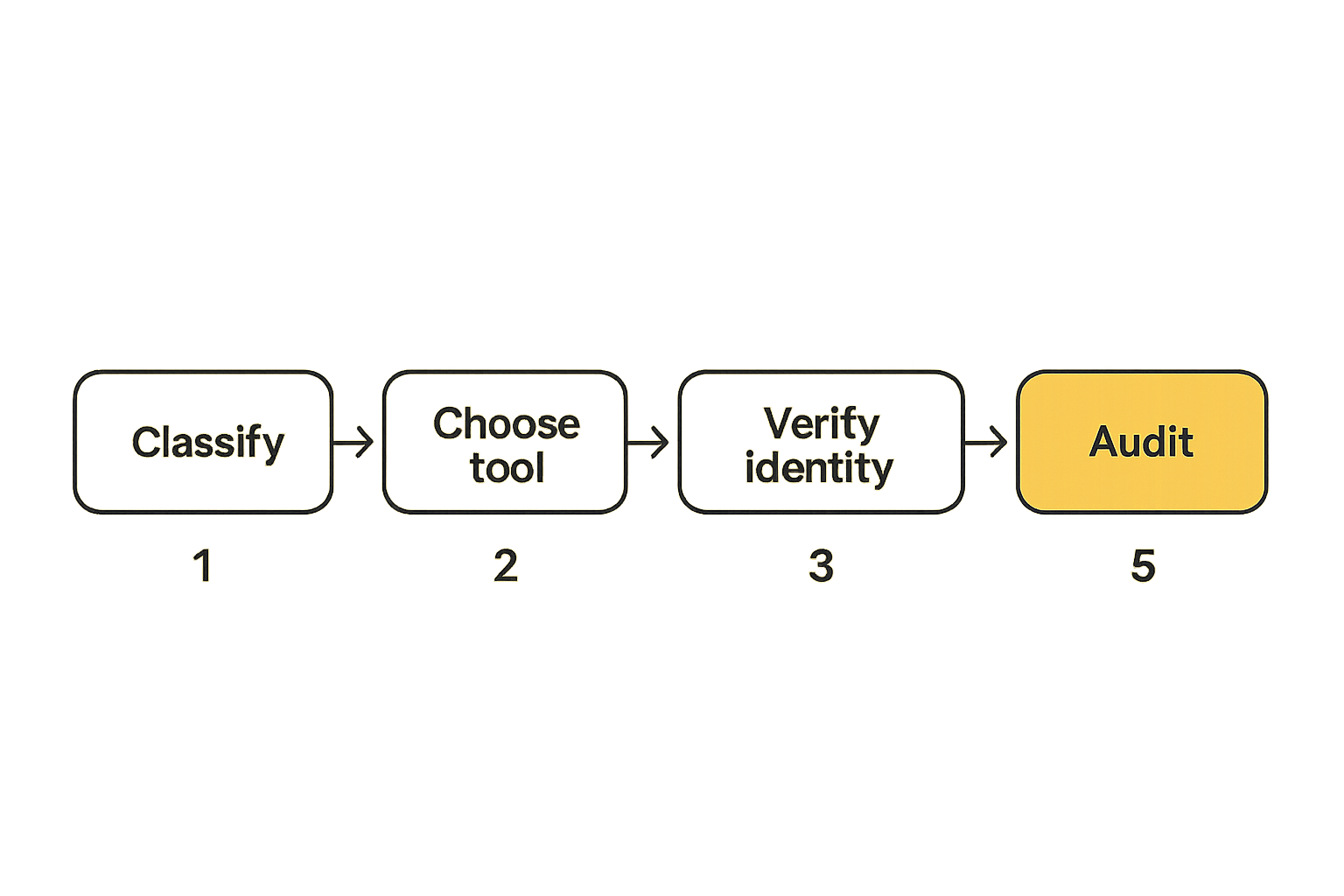
A practical rollout looks like this:
- Classify communication. Identify which topics require secure messaging and which belong elsewhere.
- Choose the tool. Evaluate encryption model, device support, metadata posture, admin controls, recovery, and usability.
- Define identity rules. Decide how users verify contacts, handle key changes, and onboard new devices.
- Set device requirements. Document allowed devices, lock settings, backup rules, and lost-device reporting.
- Create group templates. Define owners, invite rules, retention, naming, and offboarding procedures.
- Pilot with one sensitive workflow. Use a real workflow such as incident response or executive communications.
- Review what broke. Look for notification leaks, attachment confusion, access drift, and verification failures.
- Standardize and train. Keep training short, specific, and tied to actual scenarios.
- Audit periodically. Review groups, members, devices, and policy exceptions.
The key is to pilot against reality. A tool that looks perfect in a spreadsheet may fail when executives change phones, engineers need desktop access, or legal asks about retention.
The best rollout is boring. People know where to talk, what not to paste, what settings matter, and who to call when something changes.
What to automate and what to document
Not every control can be automated, especially in consumer-grade or privacy-first messaging systems. But many operational checks can be documented and repeated.
Automate where possible:
- Account provisioning and deprovisioning
- Device compliance checks
- App update enforcement
- Lost-device wipe or session revocation
- Membership review reminders
- Security training assignment
Document where automation is not available:
- Key verification steps
- Approved backup settings
- Group owner responsibilities
- Sensitive topic classification
- Incident channel creation and closure
- Exception handling
A lightweight team runbook is better than an ambitious policy nobody reads. Keep it close to the workflow. If your security team has to explain the policy from memory every time, the policy is too far away from the work.
Example runbook excerpt:
When creating a high-sensitivity group:
1. Name the group with purpose and date.
2. Assign one owner.
3. Add only verified members.
4. Set the approved retention timer.
5. Pin the room rules.
6. Review membership after the event closes.
7. Archive or delete the room according to policy.
That is simple. It is also the difference between encrypted messaging as a tool and secure messaging as an operating practice.
Common failure modes
What works
Good implementations have a few patterns in common.
They start with the threat model. They are honest about what the messenger protects and what it does not. They use end-to-end encrypted messaging for the right conversations instead of forcing every workflow into chat. They verify high-risk contacts. They control devices. They disable risky previews. They clean up groups. They understand backup tradeoffs.
They also avoid making security feel like theater. Users are more likely to follow rules that map to obvious risks. “Disable lock-screen previews because message text can appear outside the encrypted app” is better than “follow privacy best practices.”
What works:
- Clear topic classification
- Short onboarding checklist
- Verified identities for sensitive contacts
- Device rules that match real work
- Group owners and membership reviews
- Backup settings documented up front
- Specific rules for files, links, and notifications
- Incident process for lost devices and key changes
The practical question is whether the process survives normal stress. If it only works when everyone is calm, technical, and sitting at a desk, it is not production-ready.
What fails
Weak implementations fail in predictable ways.
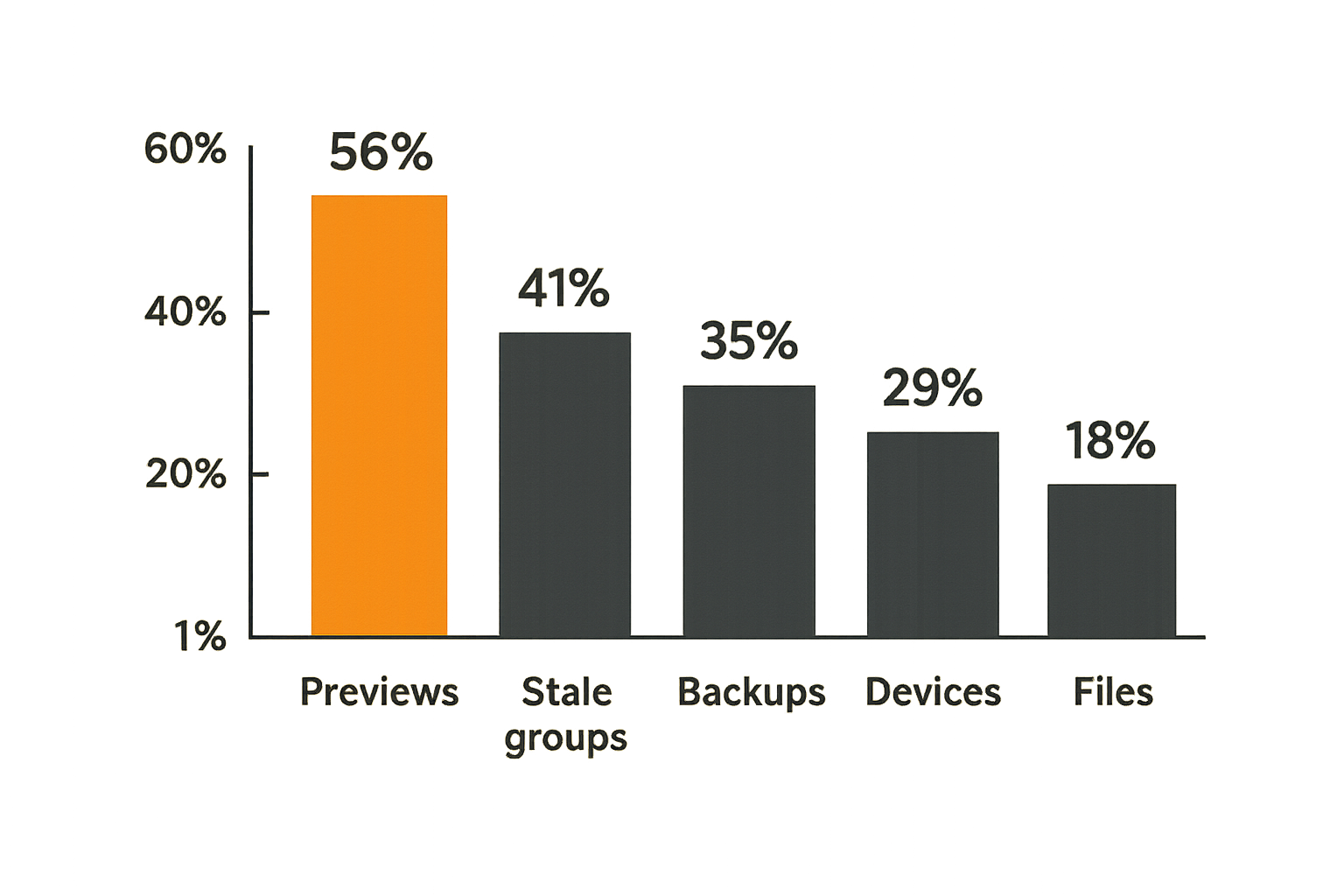
They use an encrypted app but keep notification previews enabled. They invite too many people into permanent groups. They ignore key-change warnings. They allow unmanaged devices for sensitive work. They paste passwords into chat instead of using a secret manager. They rely on disappearing messages while users download files. They do not remove people after projects end. They treat backups as a convenience setting instead of a security boundary.
The worst failure mode is false confidence. People say “it was in encrypted chat” as if that ends the analysis. It does not. Encrypted chat can be the right place for a conversation and still be the wrong place for a file, approval, record, or secret.
A simple failure review can ask:
- Was the right channel used?
- Were the participants still authorized?
- Were identities verified where needed?
- Did the content appear in notifications?
- Were attachments downloaded or reshared?
- Was message history backed up?
- Did any device lack baseline controls?
- Was there a system of record outside chat?
If those questions sound operational, that is the point. End-to-end encrypted messaging is not a magic privacy wrapper. It is one control in a communication system.
How qrypt.chat fits end-to-end encrypted messaging architecture
Product fit without magic claims
qrypt.chat is built for people who care about private communication, secure messaging, and practical digital security. That means the product fit is not “use this and stop thinking.” The useful fit is architectural: provide an encrypted messaging environment that privacy-conscious users and teams can evaluate as part of a broader workflow.
For readers looking specifically at quantum-resistant encrypted messaging, the background on QryptChat’s positioning is available on the security overview. That is a starting point for evaluation, not a substitute for your own threat model.
The right way to assess any secure messenger, including qrypt.chat, is to ask how it behaves across the real boundaries:
- How are messages encrypted and decrypted?
- What metadata is minimized or retained?
- How are identities and keys represented to users?
- What happens when devices are added or removed?
- How do groups handle membership changes?
- What backup and recovery assumptions exist?
- What administrative controls are available?
- What user behaviors still need policy support?
This is where hype is unhelpful. Strong cryptography matters, including post-quantum direction where appropriate. But operational clarity matters too. If users cannot understand what to do when a device changes, or if teams cannot define who belongs in a sensitive group, the deployment will drift.
Questions to ask before standardizing
Before standardizing on end-to-end encrypted messaging for a team, ask these questions in a working session with security, operations, legal if relevant, and actual users:
- Which conversations are we moving into encrypted messaging?
- Which conversations should not happen in chat?
- Who owns onboarding and offboarding?
- What is our verification process for sensitive contacts?
- Which devices are allowed?
- What are the notification defaults?
- Are backups allowed, and under what settings?
- How are group owners assigned?
- How often do we review high-sensitivity groups?
- What is our lost-device process?
- What happens when someone sees a key-change warning?
- Where do durable records belong?
If you cannot answer these yet, that is fine. It means the next step is architecture, not procurement.
The mistake teams make is buying privacy as if it were a static product attribute. Privacy is a system property. It depends on software design, cryptography, defaults, user behavior, and operations.
Closing checklist for end-to-end encrypted messaging
The practical decision
End-to-end encrypted messaging is worth using when the content of conversations is sensitive and you do not want the provider or network observers reading it. For many users and teams, that is now a baseline expectation.
But the practical decision is broader. You are choosing how private communication will work under real conditions: new devices, lost phones, urgent incidents, group changes, files, notifications, backups, and human mistakes.
Use this checklist before you rely on any secure messenger for important work:
- Define the threat model.
- Separate content privacy from metadata privacy.
- Verify identities for high-risk contacts.
- Set device requirements.
- Disable risky notification previews.
- Document backup settings.
- Assign group owners.
- Review sensitive group membership.
- Keep durable records outside chat when required.
- Train users on key changes, files, and lost devices.
That is the difference between adopting an encrypted app and operating a secure communication workflow.
Next steps
If you are an individual, start with your highest-risk conversations. Verify those contacts. Check backup settings. Turn off lock-screen previews. Review which devices have access.
If you are a team, pick one sensitive workflow and design it properly before rolling out everywhere. Incident response, executive coordination, legal escalation, and security research are good candidates because the risks are concrete.
End-to-end encrypted messaging should reduce exposure, not create false confidence. Build the workflow around the encryption and the tool becomes much more useful.
Try qrypt.chat
qrypt.chat is for people who care about private communication, secure messaging, and practical digital security. Try qrypt.chat.