Most people adopt end-to-end encrypted messaging after something feels wrong: a sensitive project moves into ordinary chat, a team shares credentials in a thread, a journalist needs to protect a source, or a family member realizes their private conversations are spread across cloud backups and synced devices.
Teams think the problem is choosing the most secure app. The real problem is designing a communication workflow where the app, identity model, device hygiene, metadata exposure, backups, and human habits all line up.
That changes the conversation. End-to-end encrypted messaging is not a magic privacy switch. It is an architecture decision for how people communicate under uncertainty. In 2026, that matters more because work is distributed, devices are disposable, AI tooling copies text everywhere, and attackers do not need to break encryption if they can abuse notifications, screenshots, exports, compromised endpoints, or social trust.
The practical question is not, “Is this chat encrypted?” The practical question is, “What exactly is protected, where does trust move, and what breaks when normal users do normal things?”
Table of contents
- End-to-end encrypted messaging is a workflow decision
- Architecture starts with trust boundaries
- Identity and device trust are the hard parts
- Metadata is the privacy budget most teams ignore
- Backups recovery and exports change the risk model
- Group messaging is where simple models break
- Remote teams need policy not just privacy
- Implementation workflow for encrypted messaging adoption
- What works and what fails in practice
- How qrypt.chat fits the secure messaging workflow
End-to-end encrypted messaging is a workflow decision
The private chat is only one layer
End-to-end encrypted messaging protects message content so that only the communicating endpoints should be able to read it. That is important. It is also incomplete.
A useful way to think about it is this: encryption protects the path between endpoints, but your workflow defines the endpoints, the humans behind them, the devices they use, and what happens before and after a message is decrypted.
The mistake teams make is treating secure messaging as a replacement for normal chat without changing the surrounding behavior. They keep the same naming conventions, the same device sprawl, the same cloud screenshots, the same informal forwarding, and the same offboarding process. Then they are surprised when sensitive content escapes through a place that was never encrypted in the first place.
For a solo user, the workflow might be simple: private conversations, locked phone, limited backups, careful contact verification. For a team, it becomes more complex: onboarding, group membership, account recovery, device loss, legal holds, incident response, and support tickets.
Practical rule: If your privacy model depends on users never making ordinary mistakes, it is not a privacy model. It is hope with encryption attached.
Where encryption stops helping
End-to-end encryption does not protect a message after it is visible on a compromised device. It does not stop someone from taking a photo of a screen. It does not hide every piece of routing metadata. It does not automatically validate that the person using an account is the person you intended to contact.
This does not make encrypted messaging weak. It makes the boundaries clear.
What breaks in practice is not usually the cipher. It is one of these operational edges:
- A user restores a cloud backup that includes message history.
- A device remains logged in after an employee leaves.
- A group member forwards sensitive content into a less secure tool.
- A notification preview exposes content on a locked screen.
- A new device is added without meaningful verification.
- A team cannot recover access and starts using insecure alternatives.
If you operate secure communications, these are not side issues. They are the actual system.
Why 2026 changes the threat model
In 2026, private communication has more surfaces than it used to. Remote work puts sensitive decisions into chat. AI assistants encourage copying text into tools that may not belong in the trust boundary. Mobile operating systems synchronize more state. Browsers, desktop clients, and companion devices multiply endpoints.
At the same time, attackers are practical. They do not need a cinematic cryptographic break if account takeover, device theft, social engineering, or metadata analysis gives them enough leverage.
This is why end-to-end encrypted messaging should be evaluated as an operational control, not a badge. The right question is not only whether a product uses strong cryptography. It is whether the product and your habits reduce the number of places where sensitive conversations can be exposed.
Related reading from our network: teams building any technical stack face similar reliability tradeoffs, and this home media architecture piece is a useful adjacent example of designing the system before buying tools: build the stack before you buy the gear.
Architecture starts with trust boundaries
Who can read content
The first boundary is content access. In an end-to-end encrypted system, plaintext should exist only on participant devices, not on the service provider’s servers. That is the basic promise.
But operators need to ask a narrower set of questions:
- Can the provider read messages?
- Can the provider reset keys or silently add devices?
- Can old messages be decrypted by newly added devices?
- Are attachments handled with the same care as text?
- Are link previews generated locally or remotely?
- Are voice notes, calls, files, and reactions covered by the same model?
The answers matter because users experience “chat” as one surface, while implementations often involve several data types and services.
If text is encrypted but attachments are stored with weak controls, users will not notice the distinction until it matters. If link previews call out to remote infrastructure, a private URL can leak. If a desktop app caches media indefinitely, a device becomes a long-term data store.
Who can infer activity
Content is not the only sensitive thing. Timing, frequency, group membership, sender-recipient patterns, IP addresses, device identifiers, and notification events can expose useful information.
For many privacy-conscious users, metadata is the harder problem. A message that says nothing visible may still reveal that two people are communicating at a certain moment. In business contexts, message volume can expose hiring activity, negotiations, incident response, or customer escalations.
You may not be able to eliminate metadata. The practical goal is to understand it, minimize unnecessary collection, and avoid building workflows where metadata alone becomes damaging.
A strong privacy posture usually includes:
- Minimal account identifiers.
- Conservative logging.
- Clear retention limits.
- Reduced notification detail.
- Careful group naming.
- Awareness of network-level exposure.
For product-level details, teams should read the service’s privacy posture directly; qrypt.chat publishes its approach on the privacy page, which is the kind of document operators should review before adopting any secure messaging service.
Who can reset access
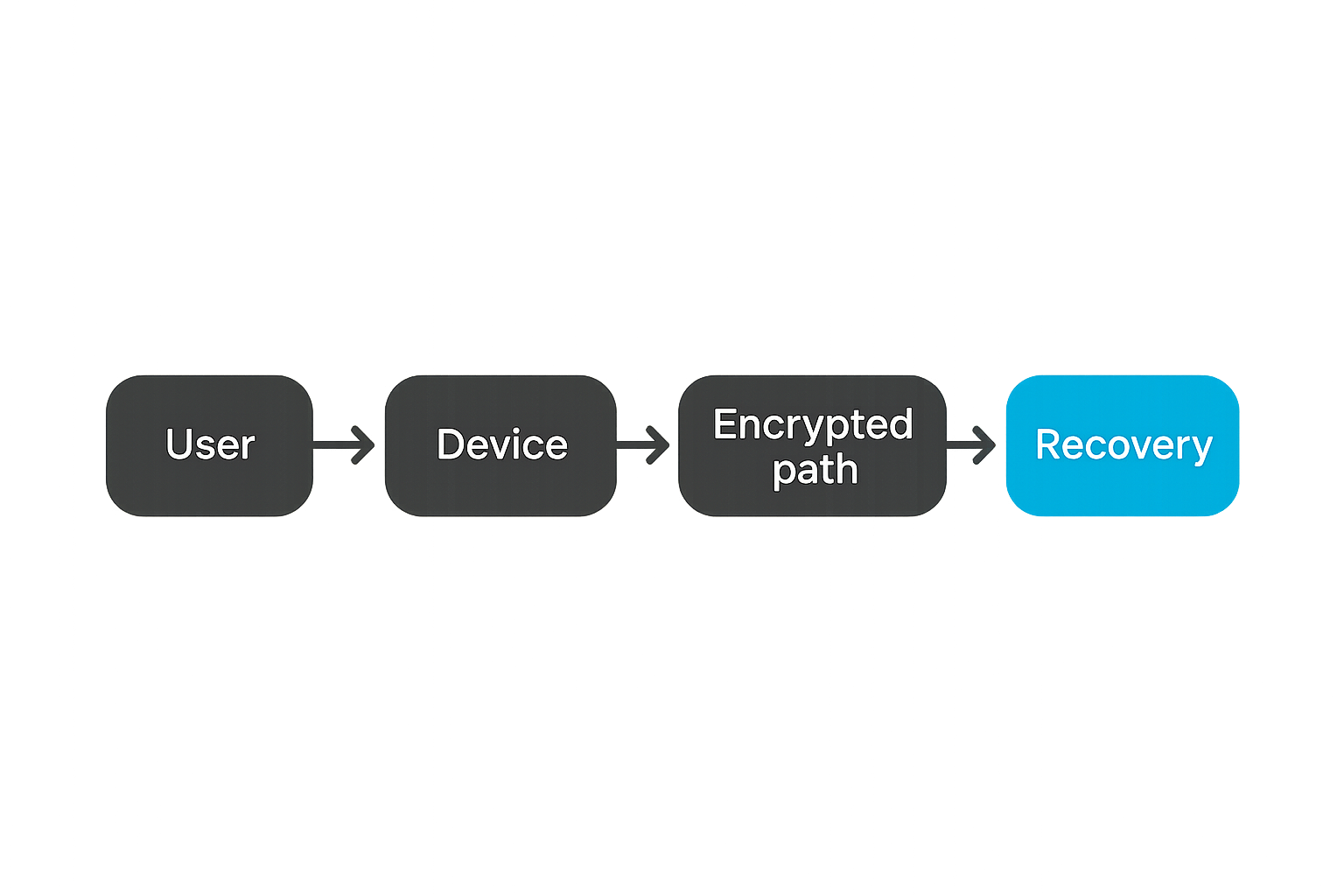
Recovery is a trust boundary. If someone can reset access, they may be able to change who controls future conversations. If recovery can expose message history, it becomes even more sensitive.
Consumer software often optimizes for “never lose access.” Security-sensitive workflows often need a different balance: losing access is painful, but unauthorized recovery is worse.
That does not mean recovery should be hostile. It means recovery should be explicit. Users should know whether a lost password, lost phone, or account reset can recover old messages, rejoin groups, or require re-verification.
Practical rule: Treat account recovery as a security feature, not a support afterthought. The recovery path is part of the attack surface.
Identity and device trust are the hard parts
User identity is not the same as account login
A login tells you someone has access to an account. It does not prove they are the person you intend to trust.
In secure messaging, identity has at least three layers:
- The human you believe you are talking to.
- The account or handle representing that human.
- The cryptographic keys and devices currently authorized for that account.
When those layers drift apart, private messaging becomes ambiguous. A contractor leaves but keeps a device. A phone number is recycled. A user loses a phone and reenrolls on a new device. A display name looks familiar but belongs to another account.
The mistake teams make is assuming contact lists solve identity. They do not. Contact lists are convenience layers. Secure workflows need a way to verify identity when the risk justifies it.
Device enrollment needs friction
Security teams often dislike friction. Users dislike it more. But device enrollment is one place where some friction is useful.
If a new device can be added silently, an attacker who compromises account credentials may gain access without creating a meaningful signal. If every device enrollment requires impossible rituals, users will bypass the secure channel entirely.
The practical question is what level of friction matches the conversation risk.
For ordinary personal chat, a visible device-added notice may be enough. For high-risk teams, you may need manual verification, device inventory, session review, and a rule that sensitive groups re-check members after new device events.
Good device trust design gives users clear answers:
- Which devices are active?
- When was each device added?
- Can I revoke a device?
- Will contacts be warned about key changes?
- Will old messages sync to the new device?
Verification must fit real behavior
Verification fails when it is too abstract. Fingerprints, safety numbers, QR codes, and key comparisons can work, but only if users understand when to use them.
A useful policy is risk-triggered verification. Do not ask users to verify every casual contact in a way they will ignore. Instead, define moments where verification is required:
- Before discussing legal, financial, medical, journalistic, or security-sensitive material.
- After a contact changes devices unexpectedly.
- Before adding someone to a sensitive group.
- After account recovery.
- When a conversation moves from public identity to private coordination.
This makes verification operational rather than ceremonial.
For readers who want a broader architecture walkthrough, our prior guide on end-to-end encrypted messaging workflow in 2026 covers identity, devices, groups, backups, and team habits in more depth.
Metadata is the privacy budget most teams ignore
Content privacy does not hide the social graph
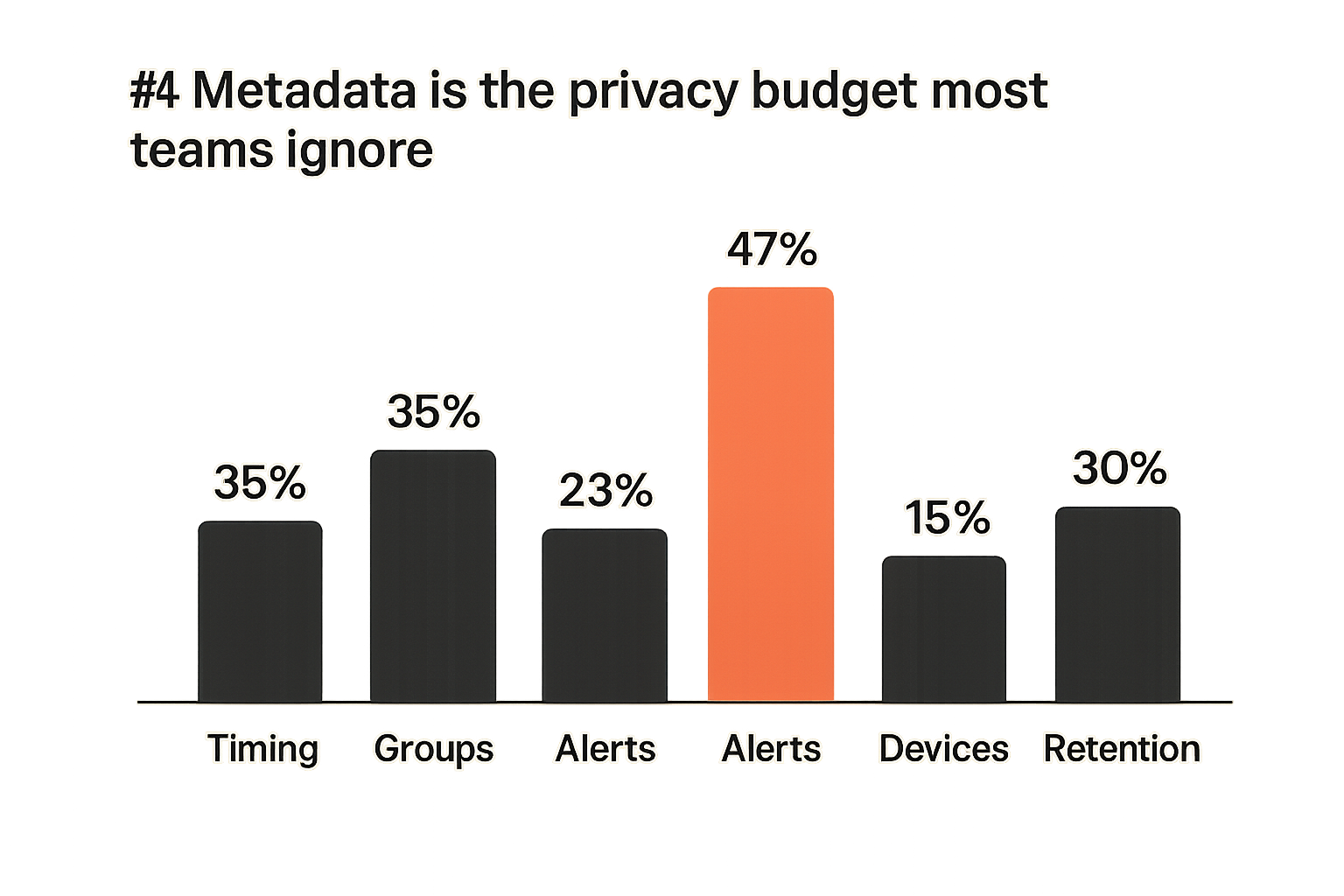
The content of a message may be unreadable while the communication pattern remains visible to some systems. That pattern can be valuable.
For example, a remote team may use a secure chat for incident response. Even if messages are encrypted, a sudden spike in activity among security, legal, and executive users can reveal that something happened. A journalist’s source may never have their message content exposed, but repeated contact timing could still create risk. A small company negotiating an acquisition may reveal activity through group creation, file exchange patterns, or notification metadata.
A useful way to think about metadata is as a privacy budget. Every identifier, timestamp, device signal, and routing event spends some of that budget. Some spending is necessary to deliver a working service. Unnecessary spending should be questioned.
Notifications can leak more than expected
Notifications are a common weak edge because they are designed for convenience. A lock screen preview can expose message content. A smartwatch can show a sensitive sender. Desktop notifications can appear during screen sharing. Push infrastructure can reveal app activity even when message content is protected.
What works is boring but effective:
- Disable message previews for sensitive chats.
- Use generic notification text where possible.
- Avoid sensitive group names.
- Mute high-risk channels during presentations or travel.
- Treat wearable devices as additional endpoints.
This is not paranoia. It is recognizing that the message is decrypted somewhere so a human can see it. Every display surface becomes part of the security model.
Practical rule: If a message can appear on a lock screen, in a watch notification, or during a screen share, it is part of your communications architecture.
Retention choices create operational fingerprints
Retention is usually discussed as storage cost or compliance. In private messaging, it is also a risk control.
Long retention creates durable exposure if a device is compromised later. Very short retention can break accountability, support, and continuity. Disappearing messages help in some cases, but they are not a substitute for trust. A recipient can still screenshot, photograph, copy, or summarize content.
The practical choice is to classify conversations:
- Ephemeral coordination that should disappear quickly.
- Sensitive decisions that need minimal but deliberate records.
- Operational knowledge that belongs in a separate controlled system.
- Personal conversations where user autonomy matters.
Related reading from our network: local communities face similar coordination and trust boundaries, especially when intake, routing, and follow-up determine who sees sensitive information; see this piece on a community first operating model.
Backups recovery and exports change the risk model
Encrypted backups still need ownership decisions
Backups are where many encrypted messaging strategies become confusing. Users want continuity. Security teams want less retained plaintext. Product teams want fewer support disasters.
An encrypted backup can be reasonable, but only if ownership is clear. Who controls the backup key? Can the provider restore it? Can the user recover it without the provider? Are attachments included? Are deleted messages included? Does backup restore require contact re-verification?
The mistake teams make is assuming “encrypted backup” means “same risk as no backup.” It does not. A backup is a second copy of sensitive material. Encryption reduces the risk, but the operational model still matters.
Recovery is where security becomes support
Users lose phones. Employees leave laptops in taxis. People forget passwords. Remote teams onboard new staff across time zones. If the secure messaging system cannot handle these events, users will route around it.
Recovery design should answer four questions before rollout:
- What happens when a user loses all devices?
- What happens when a user suspects one device is compromised?
- What happens when an employee leaves the organization?
- What happens when a group needs continuity after an admin disappears?
The wrong answer is “ask IT to fix it” if IT has no cryptographic authority and no defined process. The better answer is a written recovery workflow with clear tradeoffs.
For security-specific implementation expectations, the qrypt.chat security page is an example of the kind of material teams should review alongside privacy claims and product features.
Exports should be treated as controlled data movement
Message export is not just a convenience feature. It moves protected content out of the encrypted messaging environment and into files, folders, email attachments, ticket systems, legal archives, or personal storage.
Sometimes exports are necessary. Legal review, incident documentation, customer support, and personal records may require them. But exports should be treated as a controlled data movement event.
A basic export policy should define:
- Who may export sensitive conversations.
- Where exported files may be stored.
- How long exports may be retained.
- Whether attachments are included.
- How exports are deleted or archived.
- Whether participants are notified.
Without that, “secure chat” becomes a temporary holding area before sensitive data is copied somewhere weaker.
Group messaging is where simple models break
Membership changes must be cryptographic events
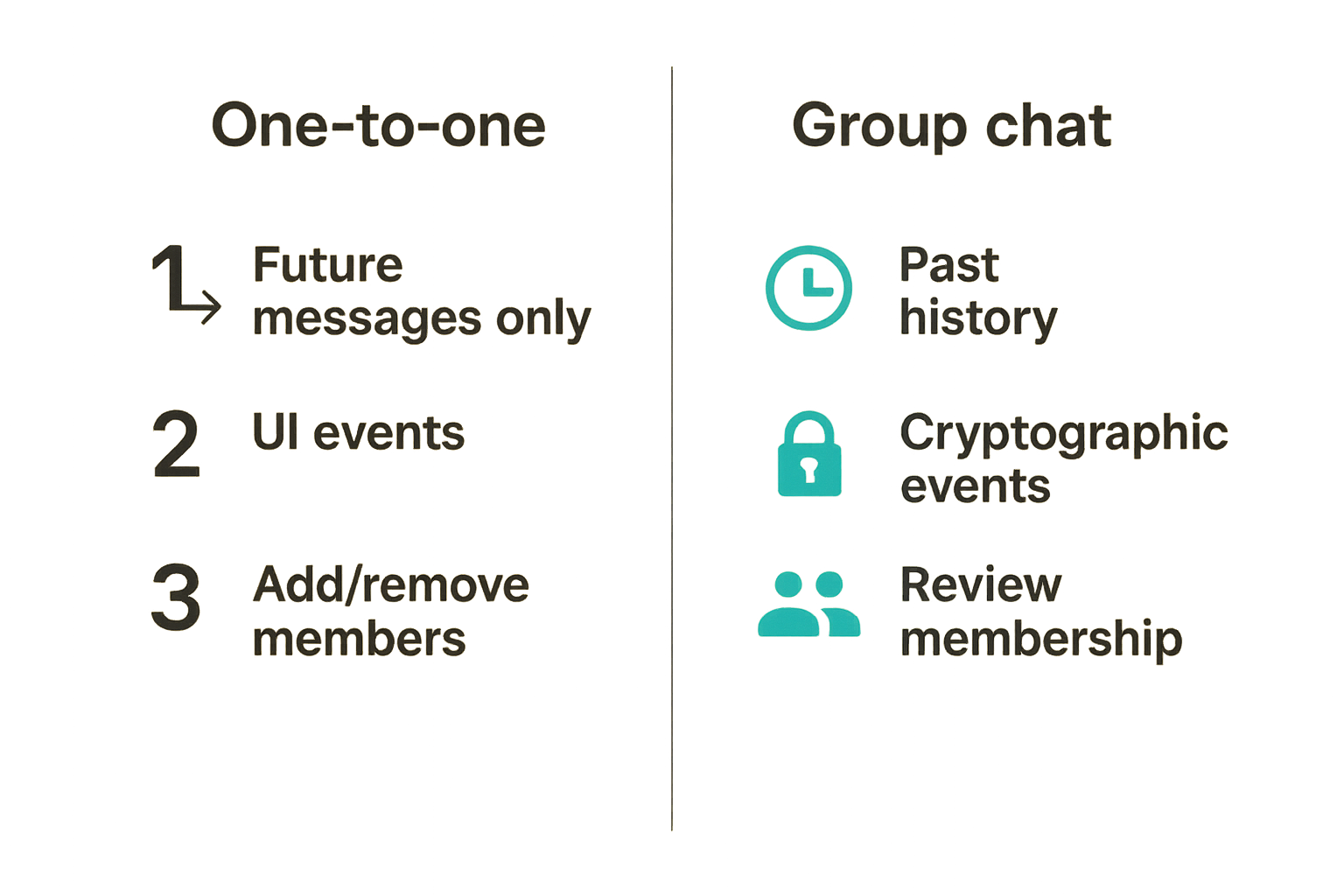
One-to-one encrypted messaging is relatively easy to reason about. Group messaging is harder because the set of trusted endpoints changes.
When someone joins a group, what can they read? Future messages only? Past history? Shared files? Pinned content? Searchable archives? When someone leaves, can they still read locally cached history? Can they access old attachments? Are keys rotated?
Membership changes should be treated as cryptographic and operational events, not just UI events. A group is a living trust boundary.
For sensitive groups, consider these practices:
- Review membership regularly.
- Announce additions and removals clearly.
- Avoid automatic history sharing for high-risk rooms.
- Rotate groups after major membership changes if needed.
- Keep group names bland and non-sensitive.
Admin roles need operational clarity
Group admins often have more power than users realize. They may add members, remove members, change settings, alter disappearing-message policies, pin content, or manage links.
The practical question is ownership. Who owns the group? A department? A project lead? An incident commander? A community organizer? If the admin leaves, who takes over? If an admin account is compromised, who can respond?
Admin rights should match responsibility. Small informal groups can be loose. Sensitive team groups need a defined owner and a backup owner. High-risk groups may need out-of-band confirmation before adding new participants.
Large groups require different expectations
Large encrypted groups create a social problem: the more people in a room, the less meaningful confidentiality becomes. Encryption may protect against outsiders and providers, but every participant is still an insider with a device and a camera.
This does not mean large encrypted groups are useless. They can be much better than public channels or unencrypted messaging. But expectations should be honest.
Use large groups for broad private coordination, not for secrets that depend on every participant behaving perfectly. Use smaller verified groups for high-risk details. Move durable decisions into systems designed for controlled records.
Practical rule: Encryption protects against many outsiders. It does not turn a large group into a small circle of trust.
Remote teams need policy not just privacy
Define which conversations belong in secure chat
Remote teams often adopt secure messaging after one scary moment, then overcorrect. Suddenly everything moves into private chat: product decisions, access requests, HR issues, vendor negotiations, and incident response. That creates a different problem. Private chat becomes the only record, the only coordination layer, and the only knowledge base.
The practical approach is classification.
Use end-to-end encrypted messaging for:
- Sensitive coordination.
- Incident response discussions.
- High-trust leadership or legal conversations.
- Security-sensitive operational updates.
- Private one-to-one communication.
Do not use it as the only place for:
- Long-term project documentation.
- System-of-record approvals.
- Customer commitments.
- Access control history.
- Knowledge that the organization must retain.
That changes the conversation from “which app is safest?” to “which communication belongs where?”
Handle incidents without breaking confidentiality
During an incident, people move fast. They copy logs, paste credentials, share screenshots, create side channels, and invite whoever might help. This is exactly when secure messaging matters and exactly when workflows break.
A secure incident chat workflow should define:
- Who can create an incident room.
- Who can invite participants.
- What content is allowed in the room.
- Where evidence should be stored.
- How decisions are summarized after the incident.
- When the room is archived or deleted.
If this sounds bureaucratic, compare it with the alternative: sensitive incident details scattered across email, screenshots, personal phones, and untracked chat exports.
Related reading from our network: focused software teams face similar workflow discipline when launching narrow products, and this guide on specialty products is a useful adjacent read on validation, ownership, and operational clarity.
Separate durable records from private coordination
Private chat is good for coordination. It is not always the best system of record.
For teams, the best pattern is often split-brain by design:
- Use encrypted messaging for fast sensitive discussion.
- Move final decisions into approved systems.
- Store credentials in a password manager, not chat.
- Store incident artifacts in an evidence repository, not message history.
- Store policies in documentation, not pinned messages.
This keeps secure messaging useful without turning it into an unstructured archive of everything important.
Implementation workflow for encrypted messaging adoption
Step one map conversation classes
Before choosing settings, map the actual communication patterns. Do not start with features. Start with conversations.
A simple implementation sequence looks like this:
- List common conversation types: personal, team, executive, incident, legal, customer, community, vendor.
- Assign sensitivity: low, moderate, high, critical.
- Decide retention expectations for each class.
- Decide verification requirements for each class.
- Decide whether attachments are allowed.
- Decide where final records belong.
- Decide who owns group membership.
This prevents a common failure mode: one global policy that fits nothing. The CEO’s acquisition chat, a family conversation, a customer support escalation, and a community announcement group do not need the same rules.
Step two configure devices and recovery
After conversation classes, configure the parts users will actually touch.
Recommended baseline:
- Require strong device locks.
- Disable notification previews for sensitive chats.
- Review linked desktop sessions regularly.
- Revoke unused devices.
- Define lost-device steps.
- Decide whether backups are allowed.
- Document account recovery limits.
- Train users on verification triggers.
This is not a long security course. It is a short operating guide. People do better when the expected behavior is concrete.
A lightweight team policy can be as simple as:
Sensitive chat baseline:
- No message previews on lock screens.
- Verify contacts before critical discussions.
- No credentials in chat.
- Lost device must be reported immediately.
- Group admins review members monthly.
- Export only to approved storage.
Step three test real failure cases
Do not assume the workflow works. Test it.
Run tabletop scenarios:
- A team member loses a phone while traveling.
- A device-added alert appears for a sensitive contact.
- A group admin leaves the company.
- A contractor needs temporary access to a project room.
- A legal request requires exporting a conversation.
- A user accidentally posts sensitive content in the wrong group.
The goal is not to punish mistakes. The goal is to find vague ownership before a real incident.
What breaks in practice is usually the handoff. Users do not know who to notify. Admins do not know what authority they have. Security teams do not know what logs exist. Legal teams do not know whether exports are reliable. Support teams do not know what can be recovered.
Testing turns secure messaging from an app preference into an operational control.
What works and what fails in practice
What works
The strongest encrypted messaging deployments tend to share a few traits:
- They define what the tool is for.
- They keep device lists understandable.
- They make verification situational and realistic.
- They minimize notification leakage.
- They treat backups as a policy choice.
- They use small groups for sensitive work.
- They separate private coordination from durable records.
- They train users on failure cases, not cryptographic theory.
This is why practical security often looks simple from the outside. The hard part is not writing a 40-page policy. The hard part is making the safe path obvious enough that people use it when busy.
What fails
The weak deployments also look familiar:
- Everyone installs the app, but no one changes notification settings.
- Sensitive groups have unclear owners.
- Former employees remain in chats.
- Desktop sessions stay active on unmanaged machines.
- Users cannot explain what recovery does.
- Backups silently preserve more history than expected.
- High-risk contacts are never verified.
- Chat becomes the only record of important decisions.
The mistake teams make is measuring adoption instead of safe usage. “Everyone is on encrypted chat” is not the same as “sensitive communication is handled safely.”
A comparison operators can use
| Decision area | Weak implementation | Practical implementation |
|---|---|---|
| Identity | Trust display names and phone numbers | Verify high-risk contacts and device changes |
| Devices | Allow silent device sprawl | Review, revoke, and document device access |
| Metadata | Ignore group names and notifications | Minimize previews, names, and unnecessary signals |
| Backups | Enable by default without discussion | Decide backup ownership and recovery limits |
| Groups | Add people informally | Treat membership as a trust boundary |
| Records | Keep all decisions in chat | Move final records to approved systems |
| Incidents | Create chaotic side channels | Use predefined incident rooms and export rules |
The practical question is not whether every row can be perfect. It is whether your current setup is closer to the left column or the right column.
How qrypt.chat fits the secure messaging workflow
Where product choice matters
Product choice still matters. Workflow discipline does not replace cryptography, privacy engineering, or secure implementation. It just prevents teams from pretending the product can solve every human and operational problem alone.
For qrypt.chat, the product fit is straightforward: people come to secure messaging because they want private communication that is technically serious but usable. That includes privacy-conscious individuals, security professionals, remote teams, and users who care about where trust sits.
The right product should help users answer practical questions:
- Is message content protected end to end?
- What information does the provider avoid collecting?
- How are devices and keys handled?
- What happens during recovery?
- What does the service say about security practices?
- Can ordinary users operate it without becoming cryptographers?
That is the bar. Not hype. Not vague claims. Clear privacy boundaries and workable behavior.
What to evaluate before rollout
Before rolling out any end-to-end encrypted messaging tool, evaluate it against your real workflow:
- One-to-one private conversations.
- Small sensitive groups.
- Larger coordination groups.
- Device replacement.
- Lost-device response.
- Notification behavior.
- Attachment handling.
- Backup and recovery expectations.
- Export needs.
- Offboarding.
If you are a team, assign an owner. If you are an individual, write down your own rules. The act of deciding is valuable because it prevents default settings from becoming accidental policy.
A useful rollout plan is small and observable:
- Start with one sensitive communication class.
- Configure devices and notifications.
- Verify key contacts.
- Test lost-device recovery.
- Add groups only after ownership is clear.
- Review what users found confusing.
- Expand after the workflow holds.
This keeps adoption from turning into theater.
The closing standard for end-to-end encrypted messaging
End-to-end encrypted messaging is valuable because it changes who can read private conversations. But in production, the value depends on more than encryption. It depends on device trust, identity verification, metadata discipline, backup choices, group ownership, and user behavior under stress.
The standard should be simple: private communication should stay private when normal things happen. Phones get lost. People join teams. Contractors leave. Screens are shared. Incidents create urgency. Users need recovery. Messages need context.
If your secure messaging workflow survives those ordinary events, you are building real privacy. If it only works in a perfect demo, it will fail when the conversation matters most.
End-to-end encrypted messaging in 2026 is not just about choosing a private chat app. It is about building a communication system where trust boundaries are clear, failure modes are expected, and sensitive conversations have somewhere safer to happen.
Try qrypt.chat
You are writing for people who care about private communication, secure messaging, and practical digital security. Try qrypt.chat.