
VA secure messaging sounds like a portal feature until something breaks.
A patient sends sensitive information to the wrong care team. A remote coordinator copies details into a normal chat app because the official inbox is slow. A security lead cannot explain where message metadata lives, who can access it, or how long it stays there.
Teams think the problem is choosing a secure inbox. The real problem is designing a private communication workflow that survives real operations: identity, routing, escalation, retention, audit, and incident response.
That changes the conversation. VA secure messaging is not only about the Department of Veterans Affairs model or a healthcare portal pattern. For privacy-conscious users, security professionals, remote teams, and encrypted chat users, it is a useful architecture lens: how do you move sensitive messages between people without turning the communication layer into the weakest part of the system?
Table of contents
- Why VA secure messaging is a workflow problem
- What VA secure messaging should protect
- The architecture behind VA secure messaging
- Secure messaging models compared
- Implementation workflow for private teams
- Encryption choices and key management
- Operations monitoring and incident response
- Remote teams and patient-adjacent communication
- Vendor evaluation questions for VA secure messaging
- Where qrypt.chat fits in the secure messaging stack
Why VA secure messaging is a workflow problem
The inbox is not the system
The mistake teams make is treating VA secure messaging as a mailbox with login controls. That is too narrow.
A secure message does not exist in isolation. It has a sender, recipient, device, timestamp, classification, business purpose, retention rule, and escalation path. It may contain medical details, identity information, operational instructions, attachments, or personal context that should never leave a controlled channel.
If the workflow is weak, users route around it. They paste screenshots into consumer chat apps. They forward messages to email. They ask a teammate in a public collaboration tool because the official process is too slow. At that point, encryption on the original inbox is mostly theater.
A useful way to think about it is this: secure messaging is a controlled path for sensitive decisions. The path matters as much as the cryptography.
Practical rule: If users need a second channel to explain, chase, or escalate a secure message, your secure messaging workflow is incomplete.
Why 2026 raises the bar
In 2026, private communication has more pressure points. Remote work is normal. Users expect fast messaging. Attackers target identity providers, endpoints, cloud logs, support workflows, and recovery paths. Compliance teams want auditability, while privacy teams want data minimization.
That creates tension. The security team wants visibility. The user wants confidentiality. The operator wants speed. The legal team wants retention. The practical question is not whether messaging should be secure. The practical question is where trust is placed and how much sensitive data each layer can see.
For teams borrowing lessons from VA secure messaging, the lesson is not simply healthcare portals are safer. The lesson is that structured, authenticated, privacy-aware communication beats ad hoc messaging when the content matters.
What VA secure messaging should protect
Message content is only one asset
Most people start with content: the body of the message, the attachment, the clinical note, the private conversation. Content matters, but it is not the whole attack surface.
A secure messaging architecture should protect at least five asset classes:
- Message content: text, files, images, voice notes, and copied records.
- Identity data: names, handles, roles, organization membership, and verification state.
- Relationship data: who talks to whom, how often, and in what context.
- Operational data: routing queues, assignments, escalation notes, and support tickets.
- Security data: device state, login history, recovery events, and abuse signals.
Many privacy failures come from the parts around the message. A system may encrypt message bodies while exposing subject lines, recipient lists, attachment names, search indexes, previews, push notification text, or analytics events.
That is why the secure messaging conversation needs to start with a data map, not a feature list.
Metadata decides how private the system feels
Metadata is often where private communication quietly leaks. Even if message bodies are encrypted, metadata can reveal sensitive patterns: appointment timing, care category, crisis escalation, legal concerns, HR issues, or security incidents.
Teams should decide what metadata is necessary for operations and what can be minimized. For example, a routing service may need to know that a message belongs to a queue, but it may not need the message body. A notification service may need to know that a new message exists, but it should not display sensitive content on a lock screen.
What breaks in practice is convenience. Product teams add previews. Support teams ask for admin read access. Analytics tools capture event properties that should never leave the secure boundary. Each small shortcut becomes a privacy liability.
Practical rule: Treat metadata as sensitive by default. If it can reveal the nature of a private relationship or event, it belongs in the threat model.
The architecture behind VA secure messaging
Identity before encryption
Encryption answers one question: who can read the data? Identity answers a different question: who is this person, what role do they have, and are they allowed to participate in this conversation?
VA secure messaging patterns depend on verified identity and role-aware routing. A patient, clinician, coordinator, administrator, and support agent should not have the same view of a conversation. A remote security team has the same problem: an incident lead, executive, contractor, and outside counsel may all need access to different parts of a sensitive thread.
Build the identity layer first:
- Verified accounts for high-risk users.
- Strong authentication for administrators and privileged staff.
- Role-based access for queues, teams, and escalation paths.
- Clear ownership when someone changes role or leaves the organization.
- Recovery flows that do not bypass the encryption model.
Related reading from our network: Apple Developer Program architecture for open AI agent standards looks at signing, credentials, and event trust in a different domain, but the same principle applies here: identity architecture shapes what private systems can safely automate.
Routing without overexposure
Routing is where many secure messaging systems become too visible internally. A message needs to reach the right person or queue, but every extra processor creates another place where sensitive data can leak.
A better pattern is to separate routing metadata from message content. The router should operate on minimal labels, such as team, urgency, region, or message class. The encrypted content should remain unreadable to routing infrastructure unless there is a deliberate, audited reason to decrypt it at an endpoint.
Example routing labels might look like this:
message_class: care_coordination
urgency: normal
recipient_group: primary_team
attachment_present: true
retention_policy: regulated
Those labels are still sensitive, but they are easier to minimize and govern than full message content. They also make workflow automation possible without giving every service access to the message body.
Secure messaging models compared
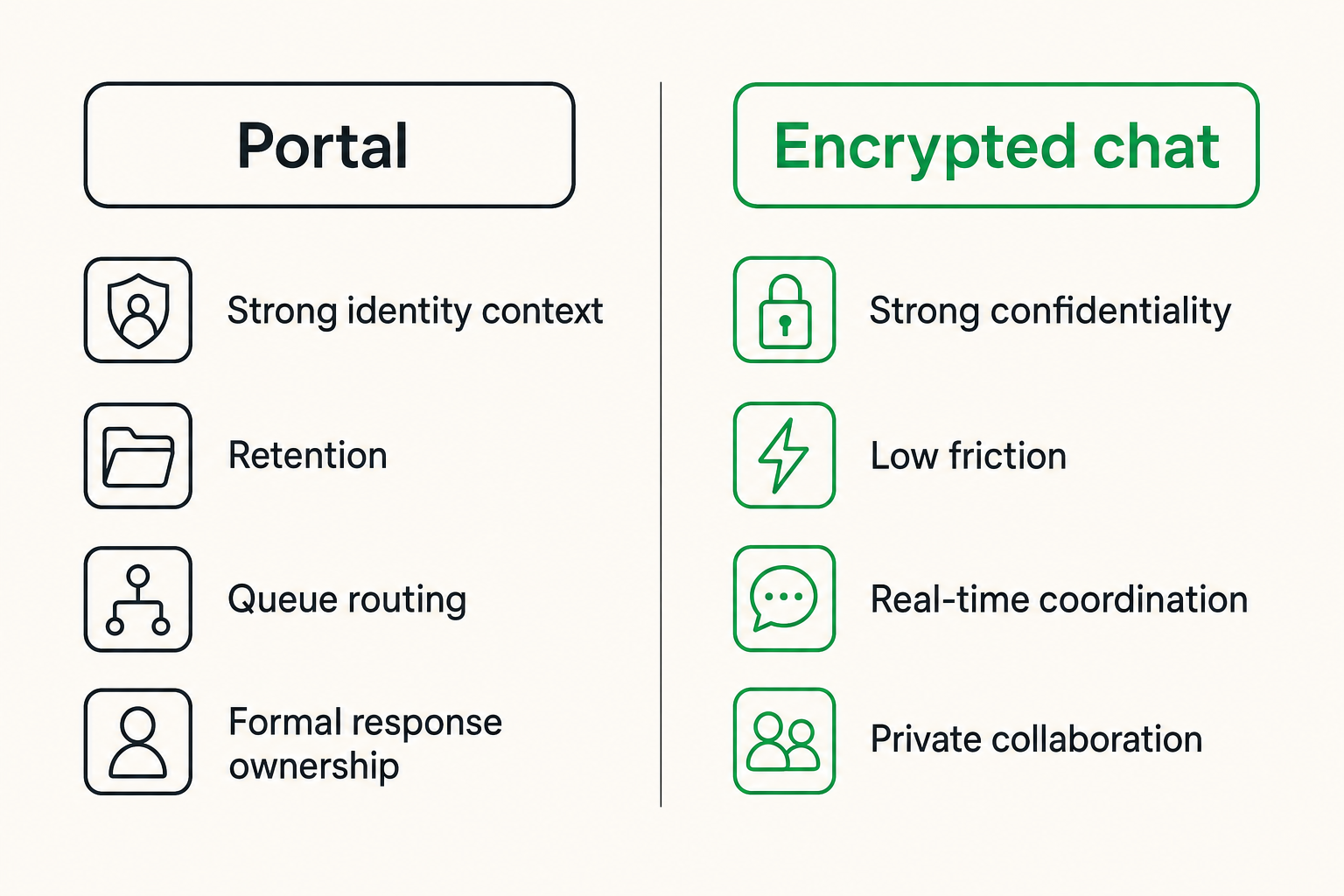
Portal messaging versus encrypted chat
Portal-style messaging and encrypted chat solve overlapping but different problems. VA secure messaging is commonly associated with authenticated portal communication. Encrypted chat is usually associated with faster, conversational collaboration. Teams often need both patterns, but they should not pretend the tradeoffs are identical.
| Model | Best for | Strengths | Failure mode |
|---|---|---|---|
| Portal secure messaging | Structured requests, patient or client communication, record-linked workflows | Strong identity context, retention, queue routing, formal response ownership | Slow UX causes users to move side conversations elsewhere |
| End-to-end encrypted chat | Fast private collaboration, remote teams, sensitive operational discussion | Low friction, strong confidentiality, real-time coordination | Weak retention or admin workflow if deployed casually |
| Normal email | Broad reach, low-sensitivity coordination | Universal and familiar | Forwarding, phishing, weak confidentiality, poor control |
| Standard workplace chat | Team communication and low-risk collaboration | Fast, searchable, integrated | Admin visibility, app sprawl, oversharing, unclear privacy boundary |
The practical question is not which model wins. The practical question is which communication class belongs in which channel.
Portal messaging is good when the message needs formal routing, record association, and organizational accountability. Encrypted chat is good when sensitive humans need to coordinate quickly without exposing the conversation to unnecessary infrastructure.
What works and what fails
What works:
- Use portal workflows for official requests, regulated records, and auditable outcomes.
- Use encrypted chat for sensitive coordination that should not spill into general collaboration tools.
- Define which channel is authoritative for each decision type.
- Train users on examples, not abstract policy.
- Keep notifications private by default.
What fails:
- Forcing every sensitive conversation into a slow portal.
- Letting users choose any channel based on convenience.
- Assuming end-to-end encryption solves identity, retention, or consent.
- Giving administrators broad content visibility because it is easier for support.
- Logging message details into analytics, crash reporting, or ticketing tools.
Practical rule: The safest channel is the one users will actually use correctly under time pressure.
Implementation workflow for private teams
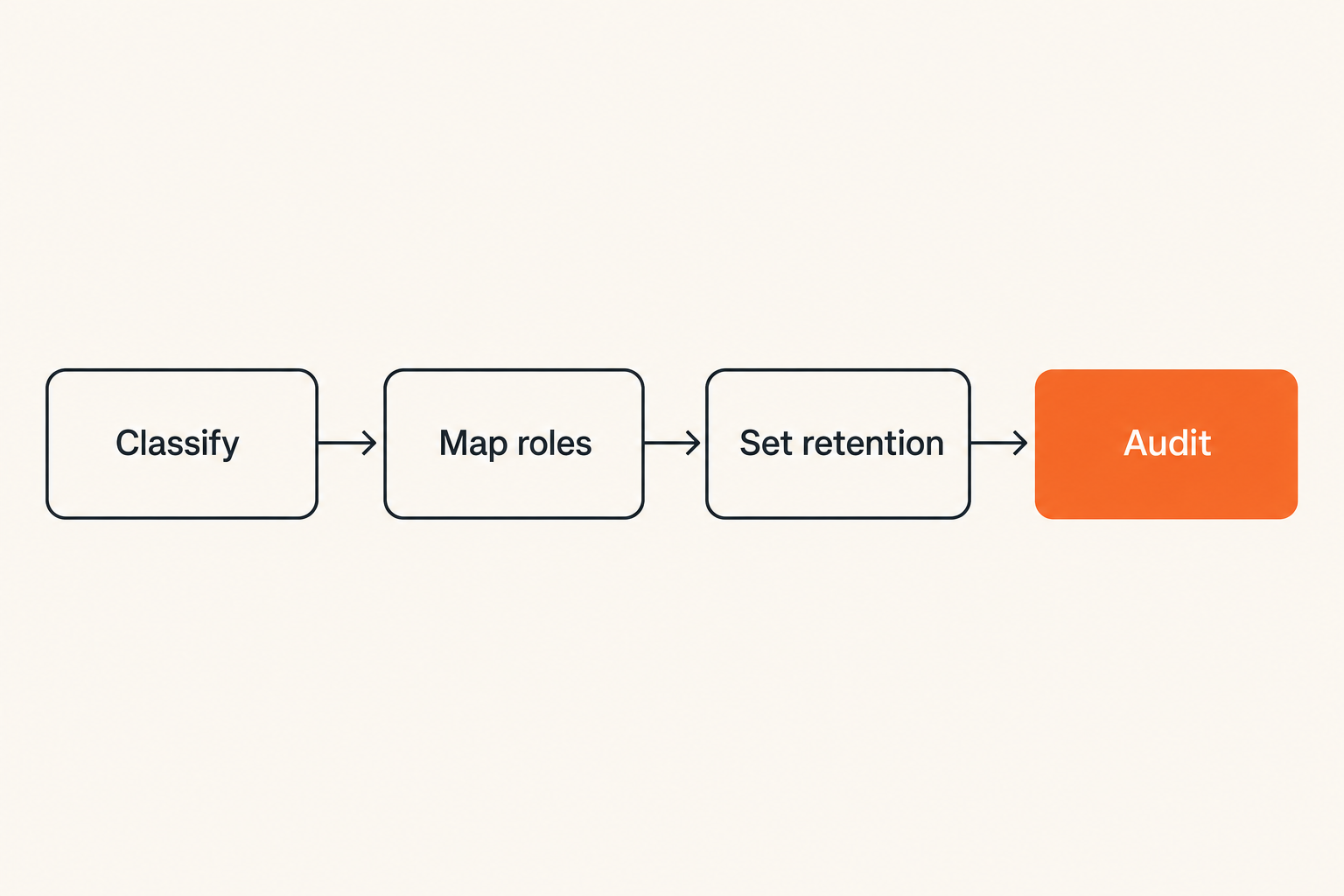
Step 1 define message classes
Start by classifying message types. Do not start with vendor demos. A clean taxonomy makes security decisions easier.
A practical first version:
- Public or low-risk communication.
- Internal operational communication.
- Sensitive personal or health-related communication.
- Security incident communication.
- Legal, HR, or executive confidential communication.
- Regulated record-linked communication.
For each class, define the allowed channel, retention requirement, participants, escalation path, and prohibited behaviors. This turns VA secure messaging from a vague concept into an operating policy.
A simple policy row might look like this:
Class: security incident communication
Allowed channel: end-to-end encrypted team room
Participants: incident team, named executives, counsel by invite
Retention: export to approved incident record only when needed
Prohibited: screenshots into normal chat, email forwarding, unmanaged devices
Escalation: incident commander owns access changes
This is not bureaucracy for its own sake. It prevents channel drift.
Step 2 map identity roles and consent
Next, map who is allowed to communicate with whom. In a healthcare-adjacent model, that may mean patient-to-care-team, patient-to-administration, clinician-to-clinician, or support-to-user. In a private team, it may mean employee-to-security, executive-to-legal, researcher-to-operations, or customer-to-support.
Identity mapping should cover:
- Account proofing requirements.
- Role assignment and approval.
- Guest and external participant rules.
- Delegation and proxy access.
- Consent for adding participants.
- Offboarding and access removal.
The mistake teams make is approving access at the workspace level and forgetting conversation-level sensitivity. A contractor might belong in a project workspace but not in a medical, legal, or incident thread.
For adjacent reading on architecture boundaries in a different operating environment, Related reading from our network: cloud computing crypto settlement layer for high-risk merchants is useful because it separates user interface from settlement, custody, and operational trust. Secure messaging has the same split: the chat UI is not the whole system.
Step 3 wire retention escalation and audit
Now build the workflow sequence. A basic implementation plan looks like this:
- Inventory current channels where sensitive messages appear.
- Define message classes and assign an approved channel to each class.
- Configure identity, roles, groups, and recovery controls.
- Disable unsafe previews, broad exports, and unnecessary third-party analytics.
- Configure retention by message class, not by convenience.
- Define escalation ownership for urgent, misrouted, or abusive messages.
- Train users with real examples and prohibited workarounds.
- Test incident scenarios before rollout.
- Review logs and access patterns after launch.
- Adjust routing rules based on actual user behavior.
Retention deserves special attention. Too much retention creates privacy and discovery risk. Too little retention breaks operations, compliance, and investigation. The right answer depends on the message class.
Audit should answer who accessed what, when, from where, and under what role. It should not create a shadow copy of every sensitive message in a less secure log store.
Encryption choices and key management
End-to-end encryption boundaries
End-to-end encryption is valuable because it limits who can read message content. But the phrase gets abused. Some systems encrypt in transit and at rest, while the service can still read everything. That may be acceptable for some workflows, but it is not the same as end-to-end encryption.
For private communication, ask where plaintext exists:
- On the sender device.
- On the recipient device.
- In browser memory.
- In mobile notifications.
- In search indexes.
- In backups.
- In support tooling.
- In export files.
If plaintext appears in backend services, logs, admin consoles, or analytics tools, say so plainly. Operators can handle tradeoffs. What they cannot handle is vague security language that hides architectural reality.
The qrypt.chat security overview is written around that kind of boundary discussion: what is protected, where cryptography applies, and how private messaging should be evaluated without pretending that a lock icon answers every operational question.
Post-quantum readiness without theater
Post-quantum cryptography is becoming a practical planning topic, especially for data that may remain sensitive for years. The risk model is often called harvest now, decrypt later: an attacker stores encrypted traffic today and tries to decrypt it when cryptographic capabilities improve.
The mistake teams make is turning post-quantum readiness into a slogan. The serious questions are more concrete:
- Which data has a long confidentiality lifetime?
- Which key exchanges are exposed to network capture?
- Can the system update algorithms without breaking users?
- How are clients upgraded and old clients retired?
- Does the product explain its cryptographic choices clearly?
For VA secure messaging-style workflows, long-lived personal, medical, legal, or security conversations deserve stronger forward-looking protection. But algorithm choice is only part of it. Device security, identity recovery, backups, and endpoint compromise still matter.
Practical rule: Strong encryption does not compensate for weak recovery, unmanaged devices, or unclear access ownership.
Operations monitoring and incident response
Signals that matter
Security teams need signals, but secure messaging systems should not become surveillance engines. The goal is to detect abuse and misconfiguration while minimizing exposure.
Useful operational signals include:
- Failed login bursts and suspicious recovery attempts.
- New device enrollment for sensitive users.
- Unusual access to regulated queues.
- High-volume exports or attachment downloads.
- Role changes involving privileged groups.
- Messages repeatedly routed to the wrong team.
- Reports of screenshots or off-channel forwarding.
- Sudden spikes in deleted or edited messages.
Notice that most of these signals do not require reading message content. They are workflow and access signals.
A mature system separates security telemetry from content inspection. This gives defenders enough context to respond without normalizing broad internal visibility into private conversations.
What breaks in practice
The common failure modes are predictable.
First, ownership is unclear. Nobody knows whether security, compliance, operations, or the care team owns misrouted messages. The result is slow response and quiet workarounds.
Second, administrators have too much power. A support agent can read private conversations to troubleshoot a user complaint. That may feel operationally convenient, but it creates insider risk and trust damage.
Third, logs are more exposed than the messages. Teams encrypt the main datastore but send event details to generic logging platforms. The message body may be protected while the subject, recipient, attachment name, and error trace leak elsewhere.
Fourth, incident response is not rehearsed. A compromised account, lost device, mistaken recipient, or legal hold request becomes a live improvisation.
If you are building a security operating model around private messaging, the prior QryptChat article on security service architecture for private messaging teams goes deeper on ownership, policy, and response workflows.
Remote teams and patient-adjacent communication
Set rules for channels
Remote teams are where secure messaging policies get tested. People work across devices, networks, time zones, and urgency levels. If the official tool slows them down, they will improvise.
Set channel rules that are simple enough to remember:
- Use the regulated portal for official patient, client, or record-linked requests.
- Use approved encrypted chat for sensitive internal coordination.
- Use normal workplace chat only for low-risk operational discussion.
- Do not move screenshots, identifiers, or attachments into unapproved tools.
- Do not discuss incident details in public or general-purpose rooms.
- Escalate channel mistakes quickly; do not hide them.
The policy should include examples. A remote coordinator should not have to interpret a paragraph of legal language at midnight. They should know exactly where to send a sensitive note, what not to paste, and who owns escalation.
Related reading from our network: Streaming Community Ita in 2026 is about media workflows, not healthcare messaging, but it makes a similar operational point: safer systems come from cleaner workflows, metadata discipline, and fewer risky shortcuts.
Handle devices and shared workspaces
Private messaging fails at the endpoint more often than teams like to admit. A phone shows message previews on the lock screen. A browser session stays open on a shared computer. A contractor uses a personal laptop with unknown extensions. A teammate exports a transcript into a shared drive.
Device policy should cover:
- Screen lock and biometric requirements.
- Notification preview restrictions.
- Managed browser or app requirements for privileged users.
- Session timeout and remote logout.
- Local backup behavior.
- Download and attachment handling.
- Lost device response.
For shared workspaces, the rule is stricter: private communication should not depend on everyone nearby behaving perfectly. Disable previews. Limit persistent sessions. Avoid shared accounts entirely. Make access revocation fast.
A secure messaging rollout that ignores devices is not a secure messaging rollout. It is a server-side security project with an endpoint blind spot.
Vendor evaluation questions for VA secure messaging
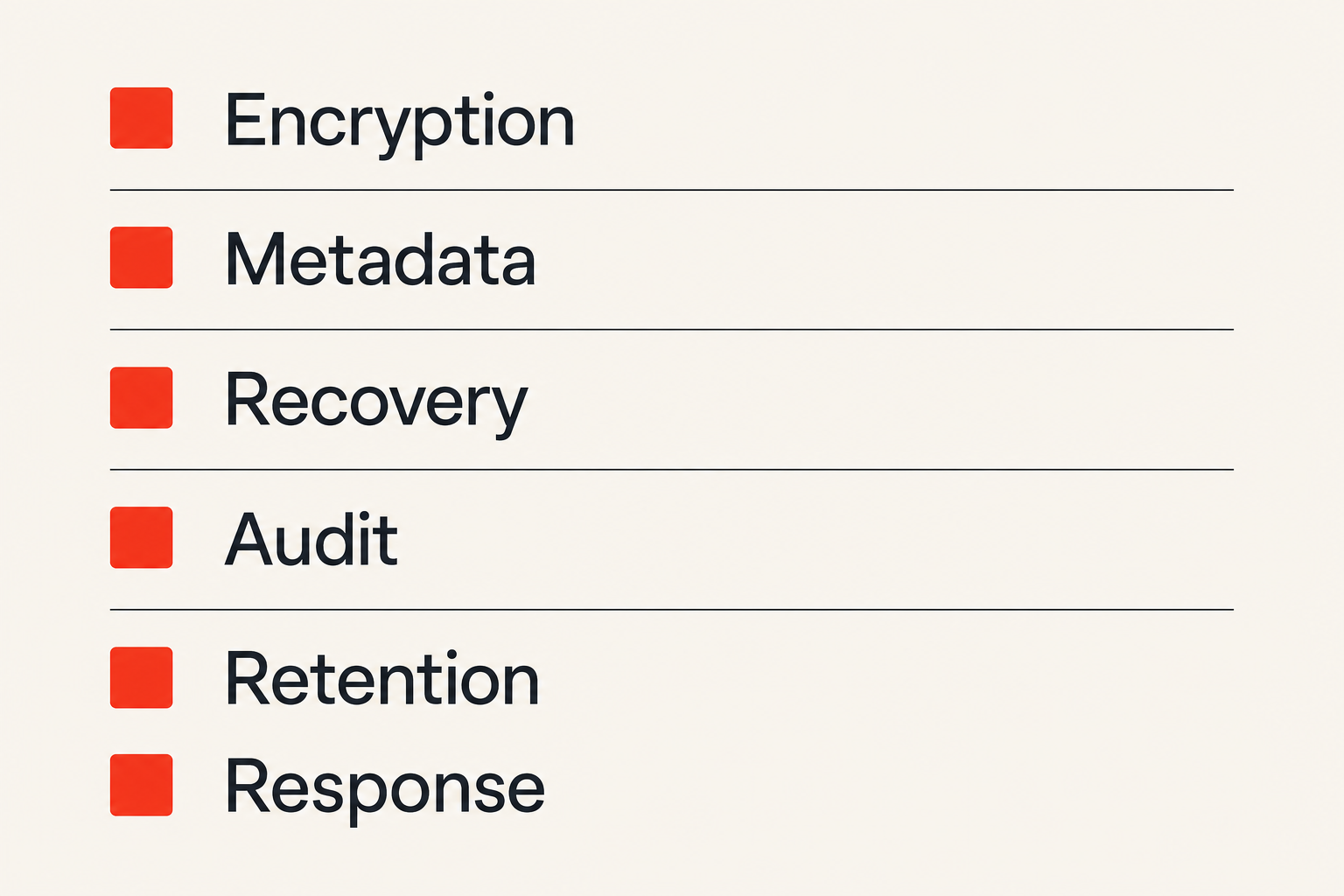
Questions to ask before rollout
Vendor evaluation should be specific. Ask architecture questions before roadmap questions.
Start here:
- Is message content end-to-end encrypted, or can the provider access plaintext?
- What metadata does the service collect, store, and process?
- Are subject lines, attachment names, previews, and search indexes encrypted?
- How are keys generated, stored, rotated, backed up, and recovered?
- What happens when a user loses a device?
- Can administrators read messages? If yes, when and how is that audited?
- Can routing happen without exposing message bodies?
- Which logs contain user, recipient, queue, or message identifiers?
- Can retention vary by message class or workspace?
- How are exports controlled and recorded?
- What integrations receive message data or metadata?
- How does the service handle legal hold, deletion, and account closure?
- What cryptographic agility exists for future algorithm changes?
- How does the product prevent unsafe notification leakage?
- What incident response support exists for compromised accounts or mistaken recipients?
The answer does not always need to be perfect. It needs to be clear. Ambiguity is the red flag.
Red flags during procurement
Be skeptical when a vendor says everything is encrypted but cannot explain who holds the keys. Be skeptical when admin access is described as secure because only trusted staff can use it. Be skeptical when retention is either forever or delete everything with no message-class policy.
Red flags include:
- Security language that never names the threat model.
- No clear distinction between encryption at rest and end-to-end encryption.
- Broad admin read access with weak audit.
- Metadata collection that is larger than the product needs.
- Analytics or support tooling that receives sensitive event details.
- No documented recovery model.
- No way to restrict exports or attachments.
- No practical incident process.
- No explanation of deletion versus retention.
- Roadmap promises instead of current controls.
The mistake teams make is buying the cleanest user interface and discovering the operating model later. By then users are trained, data has accumulated, and migration is painful.
Where qrypt.chat fits in the secure messaging stack
Product fit without pretending to be the EHR
qrypt.chat is not a VA portal and should not be treated as an electronic health record. That distinction matters.
The product fit is private, encrypted communication for people and teams that need sensitive conversations to stay controlled. In a VA secure messaging-inspired architecture, that can mean a protected coordination layer beside formal systems of record: security teams, remote staff, privacy-conscious groups, executives, legal collaborators, or users who want stronger confidentiality than normal chat provides.
The right architecture is honest about boundaries:
- The system of record remains the system of record.
- Formal regulated workflows keep their required retention and process controls.
- Encrypted chat handles private coordination where speed and confidentiality matter.
- Sensitive details are not copied into general-purpose tools.
- Access is intentional, limited, and reviewed.
If you are comparing tools, also read the qrypt.chat privacy information so the decision includes data handling, not just message features.
Final decision checklist
Before you roll out any VA secure messaging-style workflow, make sure you can answer these questions without a meeting full of guesswork:
- Which message classes exist?
- Which channel is approved for each class?
- Who owns routing mistakes?
- Who can add participants?
- What metadata is stored?
- Where does plaintext exist?
- What do notifications reveal?
- What is retained, deleted, exported, or archived?
- How are devices enrolled and removed?
- How are compromised accounts handled?
- What logs are safe to send to central monitoring?
- What user behavior would indicate the workflow is too slow?
That last question is important. If people keep leaving the secure path, the answer is not more policy. The answer is fixing the workflow.
VA secure messaging is useful because it forces the right discussion: private communication is a system, not a text box. The inbox, chat room, portal, identity provider, device, routing queue, audit log, and response process all shape the privacy outcome.
Try qrypt.chat
qrypt.chat is for people who care about private communication, secure messaging, and practical digital security. If your team is rethinking VA secure messaging, encrypted chat, or sensitive remote collaboration, Try qrypt.chat.